9
Wi-Fi Connection
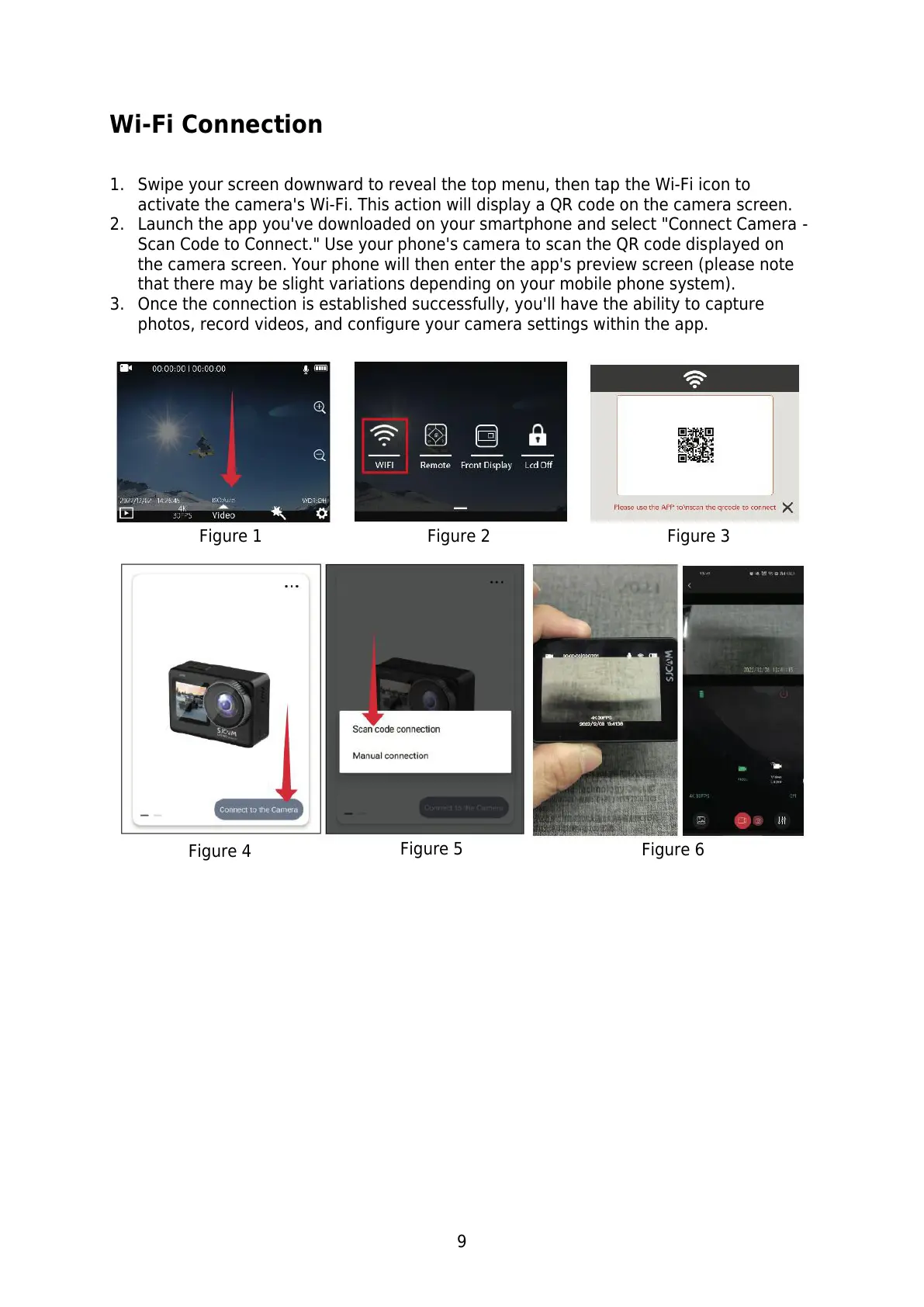
1. Swipe your screen downward to reveal the top menu, then tap the Wi-Fi icon to
activate the camera's Wi-Fi. This action will display a QR code on the camera screen.
2. Launch the app you've downloaded on your smartphone and select "Connect Camera -
Scan Code to Connect." Use your phone's camera to scan the QR code displayed on
the camera screen. Your phone will then enter the app's preview screen (please note
that there may be slight variations depending on your mobile phone system).
3. Once the connection is established successfully, you'll have the ability to capture
photos, record videos, and configure your camera settings within the app.



 To Next Page