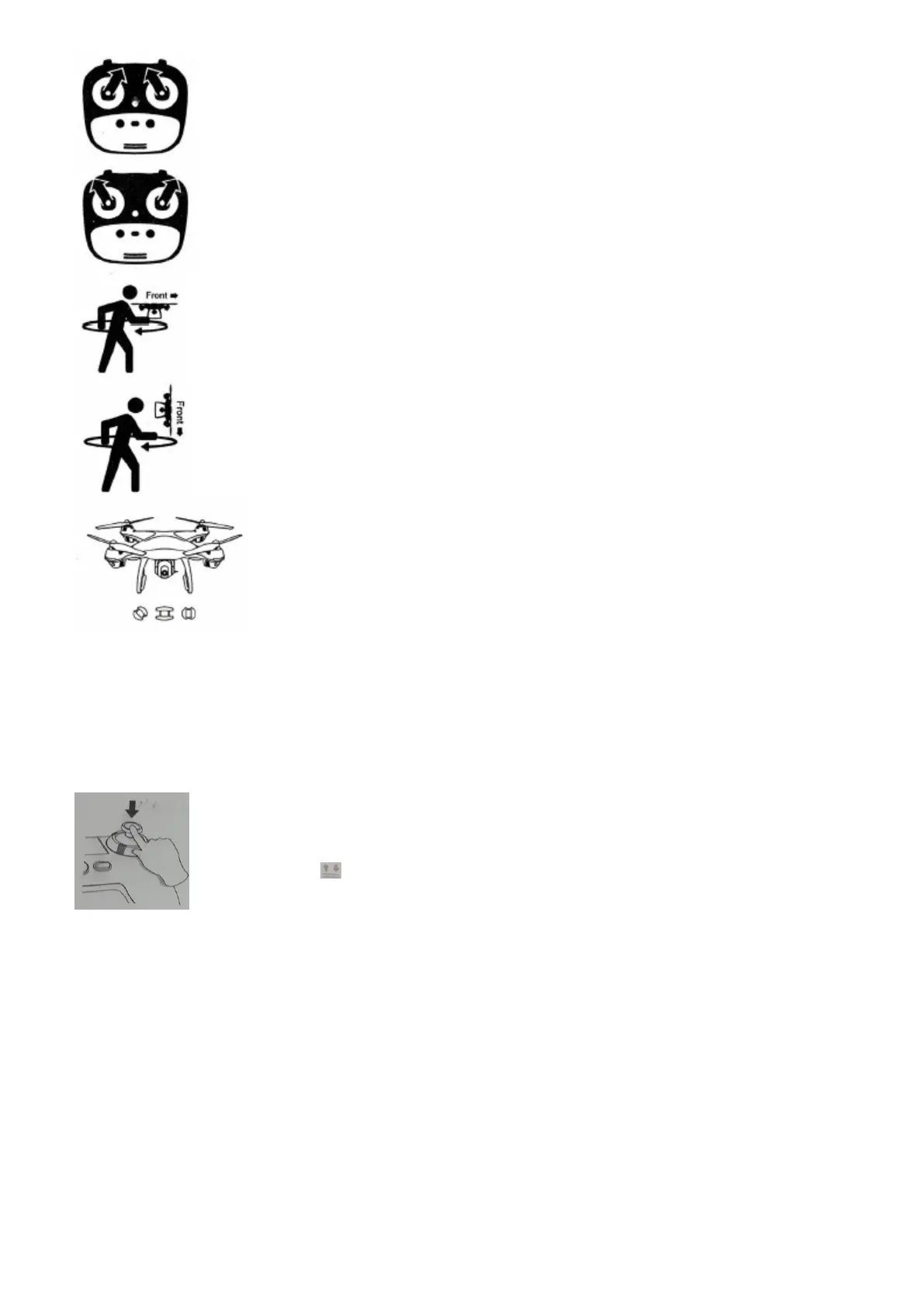
Step 3: Initiate GPS Compass Calibration
- Joysticks at the 1 & 11 o'clock positions.
- Lights rapid-alternate between blue/red (back) and white/red (front).
- App Drone Status: "Compass calibration".
Step 4: Reset to Factory Setting / Calibrate Gyroscope
- Press the Joysticks into the 11 & 1 o'clock positions.
- Lights rapid-blinking blue (back) and white (front).
- App Drone Status: "Gyroscope is being calibrated" "Gyroscope okay".
Step 5: GPS Compass Calibration Part 1
- Keeping the drone level, pick up the drone from the back and rotate your
body in one full circle (360°).
- Back lights will turn to a solid blue.
Step 6: GPS Compass Calibration Part 2
- From the bottom, hold the drone face-down and rotate the your body in one
full circle (360°).
- Front lights will turn to a solid white.
- App Drone Status: "Compass calibration okay'.
Step 7: Finalize GPS Calibration
- Set drone back down to level surface.
- Lights return to rapid-blinking blue (back) and white (front)
- This means the drone is finalizing its GPS calibration*.
- *This process can take a few minutes.
- App Drone Status: "Waiting for GPS signal".
Once the lights have switched to all solid, you are ready to fly!
- Blue (back) and white (front) lights are all solid (no blinking).
- App Drone Status: "Ready to fly".
NOTE: For example, indoor GPS signal is weak, and the light (back) + white light (front)
on the drone will be blinking for a long time; I you would like to operate the drone,
keep pressing the Direction stick to turn off GPS mode, the drone will enter normal
mode; Clicking , the drone take off, but all the GPS functions will be canceled.
Flight
The Default GPS Mode is BEGINNER MODE, Under BEGINNER MODE:
1. Flight Distance is limited between 0-30 M.
2. Flight Altitude is limited between 0-30 M.
3. RTH Altitude is under 25 M.
You can Turn-off the BEGINNER MODE to modify the parameters in the APP on your phone.


 To Next Page