REVISED 16. JUNE. 2017
screw driver or a hand drill. Once, open up the top cover, brush the condenser and reassemble
the cover.
Over time, dust may accumulate within the condenser that cannot be removed with a brush. If
this occurs, contact Turbo Air to arrange for a Turbo Air authorized service agent to clean the
condenser with compressed air.
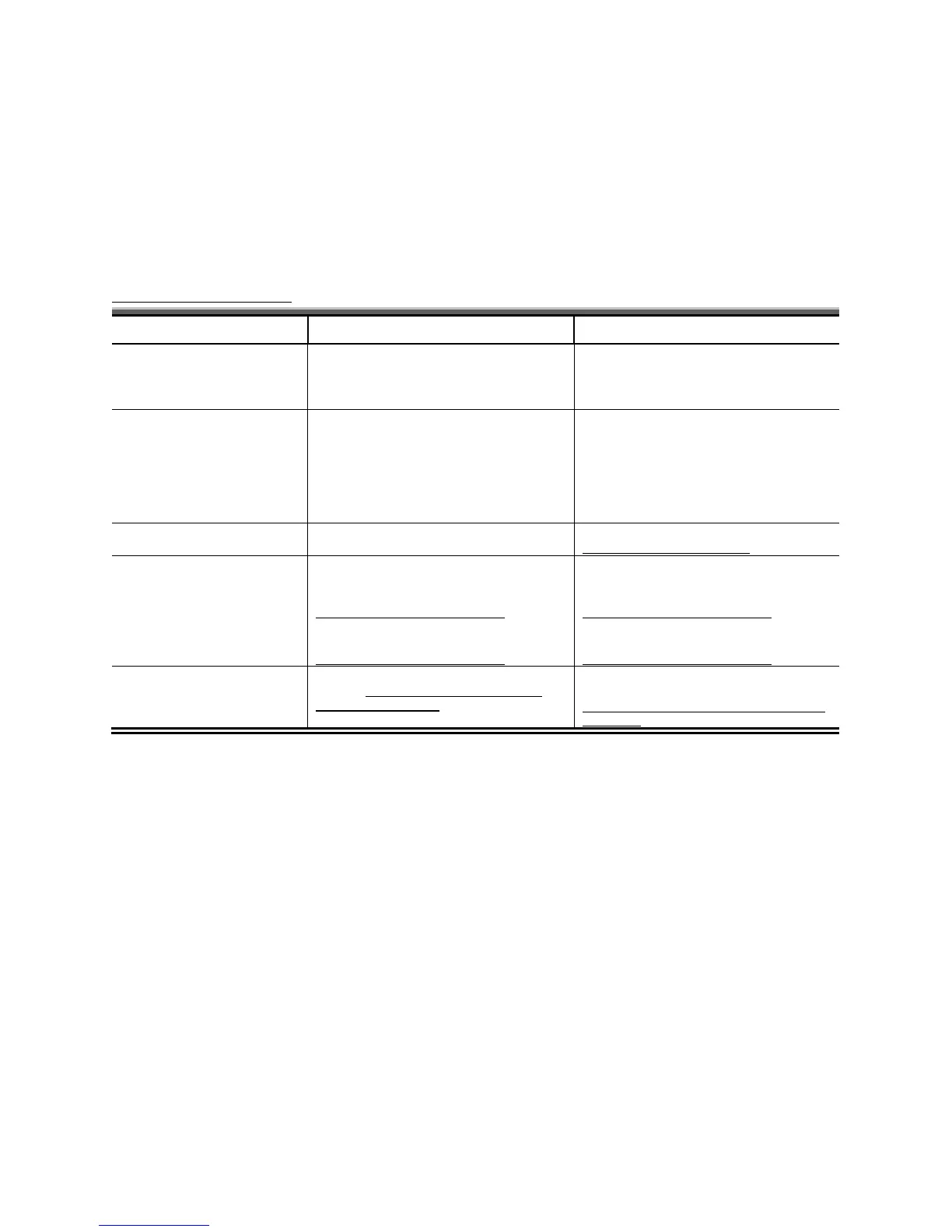
Troubleshooting
Poor ventilation environment
Provide good ventilation around the side
and back of the unit
Power consumption is higher
than supposed to be
Unit operating in too high temperature
Cabinet doors are opened excessively
Provide good ventilation around the side
and back of the unit
Keep door/s open for minimum time
Water leakage inside cabinet
Unit is not levelled properly
(Ref: 2 Installation – Levelling)
Accidently turned off via display
(Ref: 3 Operation – Power On/Off)
Power switch off in the condensing unit
(Ref: 3 Operation – Power On/Off)
Press down button for 10 seconds
(Ref: 3 Operation – Power On/Off)
Power switch on in the condensing unit
(Ref: 3 Operation – Power On/Off)
Display controller does not
work
Locked (Ref: 3 Operation – Lock/Unlock
Press up button for 10 seconds
(Ref: 3 Operation – Lock/Unlock the Display
Controller)


 To Previous Page
 Loading...