Then a new route is calculated and route guidance starts.
Remove transit point
›
In the Navigation main menu, tap on the function interface →
Change route in
map
.
›
Tap on function surface
Delete waypoint
.
›
The function surface .
Then a new route is calculated and route guidance starts.
Route list
In the route list, it is possible to create routes, save, delete, or start navigation.
New route
›
In the Navigation main menu, tap on the function interface
→
Routes
→
New
route
.
Insert a route destination in one of the following ways.
›
Tap on the function surface
Enter destination
and enter a new destination.
›
or: Tap on the function surface
Destinations
and select a destination from the
list of stored destinations.
›
To save the created route, tap the function interface
Store
.
›
Tap the function interface
Start
to start route guidance.
Managing saved routes
›
In the Navigation main menu, tap on the function interface
→
routes
.
›
Choose the desired route, and then select one of the following functions.
Clear saved route
- Edit the route » page 186, Route schedule
- Calculate route and start route guidance » page 184, Route calculation
and start route guidance
Waypoint mode
Introduction to the subject
Only valid for Infotainment Columbus.
This mode is suitable for off-road navigation or for areas where maps are not
available.
Delete
Edit
Start
Infotainment allows the recording of waypoint tours driven using automatic of
manually entered waypoints.
Then there is the possibility to start route guidance to the stored waypoint
tour or to save the waypoint tour on the SD card.
Main menu
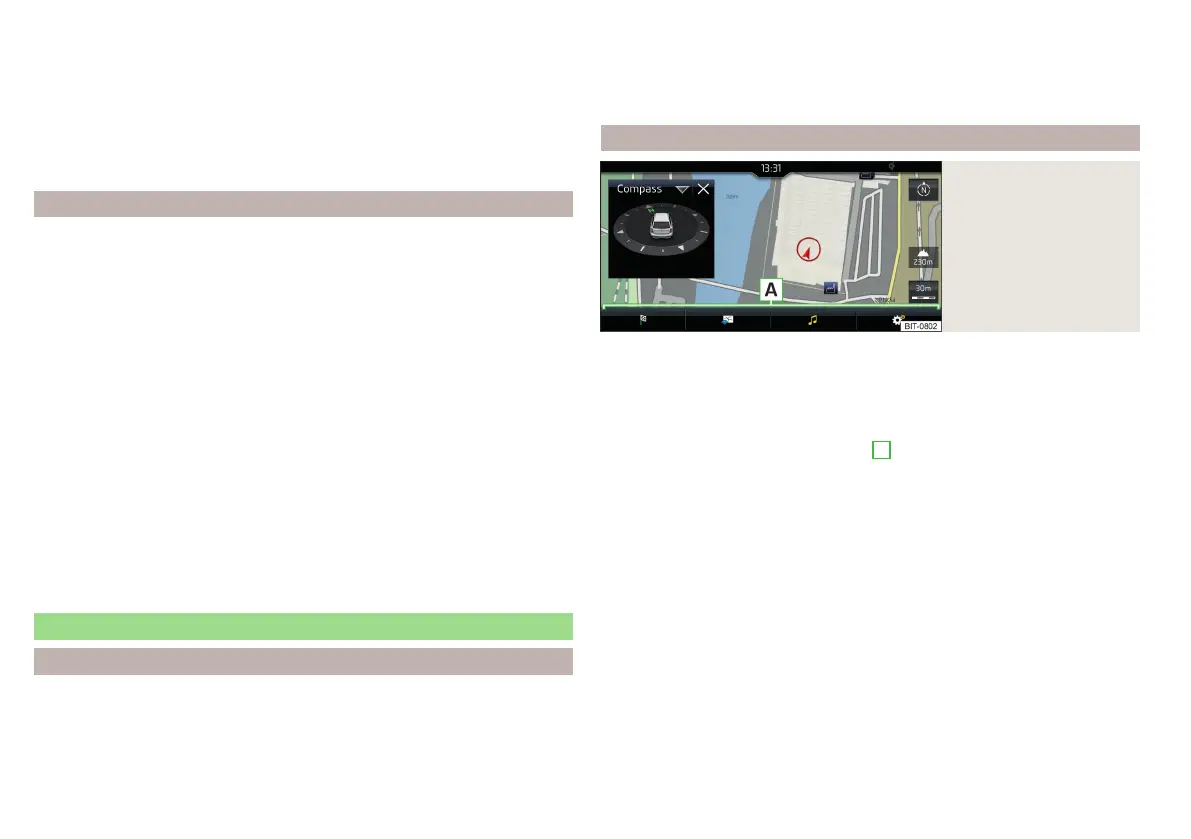
Fig. 233
Waypoint mode: Main
menu
›
In the Navigation main menu, tap on the function surface
→
Waypoint mode
.
The main menu is displayed» fig. 233.
Any ongoing route guidance is terminated after the selection of this way-
point mode menu.
Description of the function interfaces
A
» fig. 233
Context-dependent:
▶
No route guidance is taking place - Start recording a waypoint
tour/display saved waypoint tour management/exit menu
▶
A waypoint tour is being recorded - Stop recording a waypoint
tour/manually adjust waypoint/exit menu
▶
Route guidance is taking place - Stop route guidance/skip the next
waypoint/exit menu
Setting the map display / show / hide the split screen / switch on / off the
display of POIs on the map
Operation of
Radio
/
Media
playback
Setting Navigation is not available in theWaypoint mode menu
188
Infotainment














 To Next Page