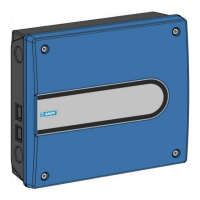
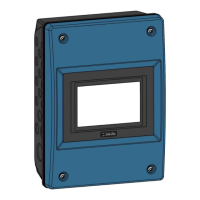
The BlueControl Pig Production Technical Manual describes a series of one- and two-house controllers designed specifically for pig houses. These controllers are available in several variants, each tailored to different requirements for climate and production control in various types of production and geographical/climatic conditions.
Function Description
The BlueControl Pig controller is designed to manage and monitor various aspects of pig house environments. It operates via a large touch display with graphical views of the ventilation status, icons, and curves. The pages on the display are adaptable to different variants, and the most relevant functions are easily accessible. A wide range of functions, such as 24-hour clock, light, water meter, and external sensors, can be named by the user to suit individual house functions and can be easily recognized in menus and alarms.
The controller is available in the following climate variants:
- LPV (Side)
- T (Tunnel)
- CT (Combi-Tunnel)
- N (Natural ventilation)
- CE (Central exhaust and Central air intake)
It also features light, water, and a 24-hour clock.
Additional add-on production software for dry feeding and pig weighing is available if the production functionality is requested:
- BlueControl Pig production S (small)
- BlueControl Pig production L (large)
The device supports various installation and configuration options, including:
- Installation wizard: Guides the user through the initial setup process, allowing for the selection of components and their allocation.
- Manual installation: Provides flexibility for advanced users to configure components and I/O allocation manually.
- Slave relays: Allows for the distribution of power load across multiple relays, useful for managing high current loads.
- Type of unit measurements: Supports both metric and US units for display.
- Connecting components: Facilitates the connection of various terminals, including temperature, humidity, and pressure sensors.
- Shared equipment: Enables multiple controllers in the same network to share equipment such as outside temperature and humidity sensors.
Important Technical Specifications
Electrical:
- Rated voltage: V AC 115*, 200* and 230/240 (*not speed controller)
- Operating voltage: V AC 103.5-264
- Frequency: Hz 50/60
- Output: W 75
- Max. power consumption: A 0.7
Main module:
- Configurable main module:
- Number 0-10 V: -11 inputs and 2 outputs – or -8 inputs and 4 outputs – or -7 inputs and 6 outputs
- Inputs: 7 x 0-10 V DC input impedance 2.1 mOhm.
- Outputs/power supply:
- 2 x 15 V DC power supply +/- 10 % max. 40 mA in total.
- 2 x motor supply 24 V DC +/- 20 % max. 0.4 A (in total for the entire controller).
- 2 x supply for winch motor potentiometer 10 V DC max. 40 mA in total.
- 2 x 0-10 V DC Output impedance 100 Ohm.
- Relays:
- 12 x NO/NC potential free
- Max. voltage/current at resistive load 250 V AC / 5 A AC.
- Max. voltage/current at inductive load 250 V AC / 2 A AC CosPhi 0.8.
- 1 x alarm relay NC, max. 24 V 2 A. Min. 12 V 10 mA (resistive load).
I/O module type 3:
- IO type 3, 10RL 8AI 8AO:
- Inputs: 8 x 0-10 V DC input impedance 2.1 mOhm.
- Pulsing inputs (e.g. water meter, energy meter): Minimum pulse length: 75 ms. Minimum pulse interval: 75 ms. Maximum frequency/pulse per sec.: 6 Hz.
- Outputs/power supply: 8 x 0-10 V DC output impedance 10 Ohm.
- Relays:
- 1 x motor supply 24V DC +/- 20% 0.4 A.
- 10 x NO/NC potential free max.
- Max. voltage/current at resistive load 250 V AC / 5 A AC.
- Max. voltage/current at inductive load 250 V AC / 2 A AC CosPhi 0.8.
Network:
- Network interface: 2 x 10/100 Base-TX RJ 45
- USB: 2 x USB 2.0 A type
Accessories:
- Speed control (output): Motor load max. 6.8 A 230-240 V AC/min. 150 W.
Environment:
- Temperature, operation: °C (°F) -10 to +45 (+14 to 113)
- Storage temperature: °C (°F) -25 to +60 (-13 to +140)
- Ambient humidity, operation: % RH 0-80
- Protection class: IP 54 (splashproof)
- Protection class description: It is assumed that the base surface is level, i.e. ≤ 1.5 mm height difference, and the front panel screws are tightened to a minimum of 1.5 Nm.
Mechanical:
- Cable knock-out punches:
- Large: 30 x M25 For metrical cable glands
- Small: 20 x M25 For metrical cable glands
Shipment:
- Dimensions (H x W x D):
- Large: mm 381 x 568 x 170
- Small: mm 381 x 400 x 170
- Dimensions crated H x W x D:
- Large: mm 421 x 608 x 230
- Small: mm 425 x 555 x 195
- Weight:
- Large: g 7800
- Small: g 5800
- Shipping weight:
- Large: g 9200
- Small: g 6900
Usage Features
The BlueControl Pig controller offers a user-friendly interface with a large touch display, allowing for intuitive navigation and control. Key usage features include:
- Installation Guide: A step-by-step wizard for easy setup, including component selection, I/O allocation, and network configuration.
- View Week Number: Displays the current week number at the top of all pages.
- Light Control:
- Main light: Setting the main light with or without dimmer, with or without relay.
- Number of light sensors: Setting the number of light sensors.
- Light control settings: Selecting light sensor type.
- Light sensor settings: Used to name a light source according to function, so that it can be recognized in the menus and alarms.
- Light intensity unit: Lux or percentage.
- Light sensor controlled: Used for light fixtures that cannot be switched on unless they start at maximum power for a short period of time.
- Max. light intensity: Setting how wide a scale you should be able to adjust the light within.
- Inspection light: Setting up if inspection light is available or not.
- Inspection light settings: Duration, activation or deactivation of inspection light.
- Light dimmer boost time: Setting the duration of the boost when the light is turned on.
- Light active at failure: Setting if the light should switch on at power failure.
- Feed Control:
- Time to empty feed line: Setting the time the feed chain must run to empty the chain.
- Time for no feed on feed stop sensor: Setting the time that the feed stop sensor must be free of feed before the feed supply starts.
- Time for feed on feed stop sensor: Setting the time that the feed stop sensor must be covered by feed before the feed supply stops.
- Run in empty house: Setting if the feeding system will not run when the batch status is Empty house.
- Use separate feed programs: For two feed lines without feed separation shutter.
- Stop feed system if no feed is supplied: Setting the time when feeding must stop to ensure that the chain does not run when it is empty.
- Minimum time to next filling: Setting the minimum time between a feeding stopping and the next one starting.
- Dry feeding - two feed lines and feed distribution shutter: Configuration for systems with two feed lines and a feed separation shutter located below the feed weigher.
- Subcircuit: For systems with two chain motors and run in turns to fill and empty the feeding system.
- Dry feeding - monitoring of feed chain: Monitors the feed chain and triggers an alarm if errors occur.
- Volume dispenser: Manual emptying or timed opening/closing of volume dispensers.
- Feed Weighers:
- Shared feed weigher - via controllers in the same network: Allows multiple controllers to share a feed weigher.
- Shared feed weigher with separation shutter: Configuration for feed weighers with separation shutters.
- Shared silo: Allows multiple controllers to share a silo, with content distribution and consumption tracking.
- Electronic silo weighing: For accurate feed consumption and inventory management.
- Feed weigher: Settings for tip weigher and feed per second.
- Supply Auger: Used to supply feed for each feed line.
- Water Meter: Settings for liters per pulse, water meter relay, and water control.
- 24-Hour Clock: Deactivation/activation of the 24-hour clock, setting the week program, name, and hours.
- Calibration:
- Light: Manual calibration of light sensors, including relay-controlled light and light dimmer.
- Feed weigher: Calibration of feed weighers, including start, empty, and deviation settings.
- Electronic silo weigher: Calibration of electronic silo weighers, including signal quality and load amount.
- Testing:
- Testing alarm: Activates alarm test and checks alarm lamp and system.
- Testing optional components: Manual control: Allows manual control of individual components for testing purposes.
- Testing production functions: Includes testing light, feed demand sensor, cross auger sensor, drum weigher, empty feed weigher, shared feed weigher, electronic silo weigher, feed relay, silo relay, silo auger, tip weigher, water meter, and 24-hour clock.
- Testing network connection: Allows checking the network connection to the devices by pinging.
Maintenance Features
The BlueControl Pig controller includes several features to facilitate maintenance and ensure optimal performance:
- Service Menu: Provides access to various settings and maintenance functions.
- Settings:
- Setting accept values for electronic silo and day silo: Defines acceptable values for weighing stability and delivery mode.
- Testing silo signal quality: Allows activation and deactivation of the signal test, with a countdown timer for test duration.
- Network settings: Configures network parameters, including MAC address, IP address, netmask, and gateway IP address.
- Display:
- Backlight: Adjusts the brightness of the display.
- Backlight (Dimmed): Sets the brightness of the display when the controller is not being used.
- Backlight timeout: Sets the time from when the controller was operated until the backlight dims.
- Backup:
- Backup of historical data: Automatically saves historical data to an SD card or internal memory.
- IMX based CPU module (2 LAN ports): Supports backup of settings and report pages to an SD card or USB stick.
- SD card and USB stick: Allows saving and loading of controller setup and data, including settings, pages, historical data, house name, IP address, calibration values, etc.
- Daily backup: Activates daily backup function.
- Load settings: Allows loading of saved settings and report pages from SD card or USB stick.
- Software Update:
- Preparing for a software update: Provides instructions for preparing the controller for a software update.
- Carrying out the software update: Step-by-step guide for performing the software update, including inserting a USB stick with the update file.
- Check after software update: Verifies the successful completion of the software update and checks for any errors.
- System:
- Resetting data: Allows resetting the controller to factory settings or deleting all data saved in connection with the management program.
The manual emphasizes the importance of proper installation and regular checks to maintain the device's functionality and accuracy. It also provides troubleshooting steps for common issues, such as network connectivity problems and signal level checks for feed weighers.

 Need help?
 General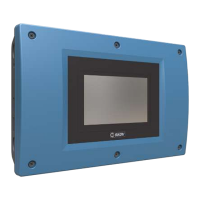

 To Next Page