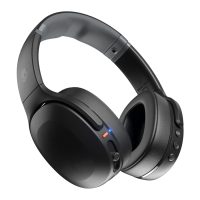
Simply plug in the micro USB into the charging port. The indicator turns red when charging, it turns
blue if fully charged.
( Note: Music cannot be played while charging.)
BACK
FCC/IC STATEMENT AND WARNING
This device complies with Part 15 of the FCC Rules. Operation is subject to the following two
conditions:
This device may not cause harmful interference.
This device must accept interference, including interference that may cause undesired operation.
MODIFICATIONS NOT EXPRESSLY APPROVED BY THE MANUFACTURER COULD VOID THE USER’S
AUTHORITY TO OPERATE THE EQUIPMENT UNDER FCC RULES.
This equipment complies with the limits for a Class B digital device as specified in Part 15 of FCC
Rules. These limits provide reasonable protection against radio and TV interference in a residential
area. However, your equipment might cause TV or radio interference even when it is operating
properly. To eliminate interference you can try one or more of the following corrective measures:
Reorient or relocate the receiving antenna.
Increase the distance between the equipment and the radio or TV.
Use outlets on different electrical circuits for the equipment and the radio or TV.
Consult your dealer or an experienced radio television technician if the problem still exists.
Modifying or tampering with your system’s internal components can cause a malfunction and might
invalidate the system’s warranty and void bur FCC authorization to operate it. This Class B digital
apparatus complies with Canadian ICESH003.
Changes or modifications not expressly approved by the party responsible for compliance could void
the user’s authority to operate the equipment.
Read More About This User Manuals…
Skullcandy-2XL-X7RGFZ-841847-Manual-optimized.pdf
Skullcandy-2XL-X7RGFZ-841847-Manual-Orginal.pdf
Questions about your Manual? Post in the comments!



 To Next Page