EasyManua.ls Logo

Skullcandy Jib - User Manual

Skullcandy Jib
7 pages
Print Icon
To Next Page IconTo Next Page
Loading...
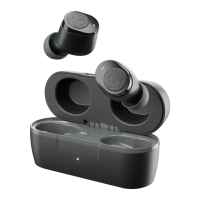
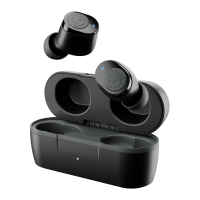
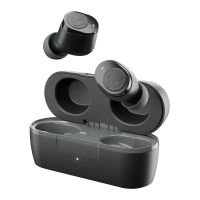
Skullcandy Jib True Wireless Earbuds, True
Black (S2JTW-N740)
PAIRING ISSUES?
Issue: The biggest challenge with true wireless earbuds is ensuring your buds are properly
connected to each other and your device. There are times when you may unintentionally
disconnect your buds and change their paired state; this can create pairing challenges and impact
your ability to use either bud solo (Master Role Switch). Do not worry, as this is an easy fix!
Solution:
To ensure ease of re-pairing, please unpair or forget your Jib™ True in your paired
Bluetooth device list
Remove your Jib™ True earbuds from the charging case and Manually Power them OFF,
by touching and holding the button on BOTH buds for 4 seconds
Once both buds have been powered OFF, touch and hold the button on each bud for 10
seconds to completely reset them (this will power cycle them on and off again).
Once both buds have gone through the power cycle, place the buds back in the case until
both LEDs show red, and then pull them back out.
Both buds will automatically power ON and the LEDs will simultaneously flash BLUE
while they sync to each other.
Once the buds have synced together, you will hear a tone to indicate the sync was
successful and ONLY the LEFT bud will begin to flash RED/BLUE.
At this time, turn ON your device’s Bluetooth and look for Jib™ True in your list of
"Available Bluetooth" devices, and select it. For Android devices: "Click “+ Pair New
Device” and select Jib™ True to pair your earbuds to your device.
o IMPORTANT Select the “Pair” and “Ok” prompts that will pop up on your
screen.
o Once successfully paired, a voice prompt will notify you are now “Connected”
MONO MODE
Issue: If you would like to use Jib™ True with only one ear bud (Mono Mode), you’re in luck!
The updated technology in Jib™ True allows you to use either the left OR the right bud in Mono
Mode. Once paired correctly, you will be able to switch between buds at your discretion.
Question and Answer IconNeed help?

Do you have a question about the Skullcandy Jib and is the answer not in the manual?

Summary

Pairing Issues

Pairing Solution Steps

Detailed steps to reset and re-pair the earbuds to resolve connection challenges.

Mono Mode Usage

Mono Mode Functionality

Enables using either the left or right earbud for audio playback and calls.

Charging and Case Lid Issues

Troubleshooting Charging Problems

Addresses issues with earbuds not charging or the case lid not closing properly.

Frequently Asked Questions

Battery and Charging Details

Information on earbud and case charging times and battery level indicators.

Playtime and Charging Compatibility

Details on total playtime and charging the earbuds with various accessories.

New Features Overview

Master Role Switching Benefits

Explains advantages of Master Role Switching for controls and Mono Mode usage.

Connectivity Options

App Pairing and Bluetooth Range

Details on pairing with the Skullcandy App and the device's Bluetooth range.

Computer and Console Connection

Guidance on connecting earbuds to computers and gaming consoles like PS4/Xbox.

Bluetooth Version and Master Bud

Information on the Bluetooth version used and which earbud acts as the master.

General Questions

Voice Assistant Compatibility

How to use Siri, Google Assistant, or Alexa with the earbuds.

Warranty Information

Manufacturers Defect Coverage

Details on the 1-year limited warranty for manufacturer's defects.

Overview

The Skullcandy Jib True Wireless Earbuds in True Black (S2JTW-N740) are designed to provide a seamless and versatile audio experience. These true wireless earbuds offer a range of features aimed at simplifying connectivity, enhancing usability, and ensuring reliable performance.

Function Description

The Jib True Wireless Earbuds are primarily designed for audio playback and hands-free communication. They connect wirelessly to your devices via Bluetooth, allowing you to listen to music, podcasts, and other audio content, as well as make and receive phone calls. A key feature of these earbuds is their "Master Role Switching" capability, which means that both the left and right earbuds can function independently as the primary (master) bud. This allows for greater flexibility in how you use them, including a "Mono Mode" where you can use just one earbud at a time while the other is in the charging case.

Usage Features

  • Pairing and Connectivity: The earbuds are designed for straightforward pairing. To connect, you first unpair or forget "Jib True" from your device's Bluetooth list if previously connected. Then, remove both earbuds from the charging case and manually power them off by holding the button on both buds for 4 seconds. For a complete reset, hold the button on each bud for 10 seconds (this will power cycle them on and off). After the reset, place them back in the case until both LEDs show red, then pull them out. Both buds will automatically power on and flash blue as they sync. Once synced, you'll hear a tone, and only the left bud will flash red/blue. At this point, turn on your device's Bluetooth, find "Jib True" in the list of available devices, and select it. For Android devices, you may need to click "+ Pair New Device." Important prompts like "Pair" and "Ok" should be selected. A voice prompt will confirm successful connection.
  • Mono Mode: The Jib True earbuds support Mono Mode, allowing you to use either the left or right bud independently. This is facilitated by the Master Role Switching technology. To switch to Mono Mode, simply place one of the paired earbuds back into the charging case. The remaining bud will continue to function for phone calls and music. While in Mono Mode, some media control functionality (like volume +/- and track <</>>) may be limited depending on which bud is being used. The right bud typically controls Volume Up and Track Forward, while the left bud controls Volume Down and Track Back. To return to Stereo Mode, simply pull the other earbud from the case; you'll hear a tone or the music will seamlessly resume, indicating the automatic transition. If you encounter issues switching between buds in Mono Mode, a full reset and re-pairing of both earbuds as described in the pairing section is recommended to re-establish the correct paired state.
  • Call and Audio Experience: The earbuds offer stereo calling and streaming, ensuring you hear audio in both earbuds during calls and media playback. However, you retain the option to use only one earbud if you prefer Mono Mode in certain situations.
  • Voice Assistant Integration: You can activate your device's voice assistant (Siri, Google Assistant, Alexa) at any time by pressing the button on either the left or right bud three times when paired to your device.
  • Bluetooth Range: The Jib True earbuds have a Bluetooth range of up to 30+ feet (10+ meters) from your paired device. Actual connection experience may vary based on your environment.
  • Device Compatibility: These earbuds can connect to a wide range of Bluetooth-enabled devices, including phones, tablets, MP3 players, laptops, and even a Nintendo Switch. They are not compatible with Xbox One or PS4. They utilize Bluetooth® version 5.0 for a stable connection.

Maintenance Features

  • Charging: The earbuds charge when placed inside their charging case. The earbud LEDs will show a solid red light during charging and turn off when fully charged. The earbuds take approximately 1 hour to reach 100% charge. The charging case itself also takes about 1 hour to fully charge. To charge the case, plug in a Micro-USB charging cable to a computer, wall charger, power bank, or 12-volt adapter.
  • Battery Status: When the earbud battery is low (less than 30 minutes of play time remaining), a "battery low" voice prompt will notify you, and the LEDs will flash red every 5 seconds. To check the charging case's battery level, open the lid; a single LED on the front of the case will flash. One flash indicates low battery (<25%), two flashes indicate medium battery (25%-75%), and three flashes indicate high battery (>75%). The LED will flash while charging and turn off when fully charged.
  • Troubleshooting Charging Issues: If the earbuds are not charging (no red LED indicator when placed in the case), first wait a few seconds as they connect. Then, check for any debris blocking the charging pins in the case or on the bud. Ensure the removable in-ear gels are correctly placed on the acoustic port, as improper placement can prevent the buds from seating correctly or interfere with the case lid closing. For charging, it's recommended to use a cable, charger, or outlet with a power output not exceeding 18-Watt (5 Volts/3.6 amps).
  • Warranty: Skullcandy products, including the Jib True Wireless Earbuds, come with a 1-Year Limited Warranty covering manufacturer's defects. If you experience persistent issues or the indicator light remains dark, you can visit the Skullcandy warranty page to file a claim for a replacement product. It is advised to contact customer service for troubleshooting assistance before filing a claim.

Skullcandy Jib Specifications

General IconGeneral
Impedance16 Ω
Driver unit10 mm
Magnet typeNeodymium
Ear couplingIntraaural
Headphone frequency20 - 20000 Hz
Headphone sensitivity100 dB
Intraaural headphones typeIn-ear monitors
Cable length1.3 m
Product colorBlack, Purple
Wearing styleIn-ear
Recommended usageCalls/Music
3.5 mm connectorYes
Connectivity technologyWired
Connector contacts platingGold
Quantity1
Microphone typeIn-line

Related product manuals