14
WPS
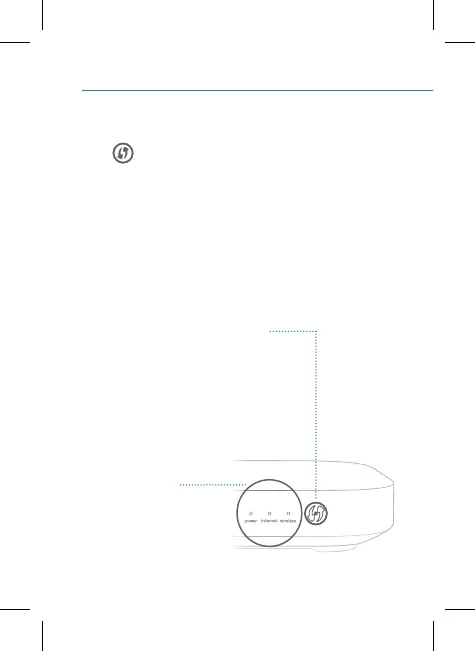
The WPS (Wi-Fi Protected Setup) button can be used to
connect other WPS-compatible devices to your Sky Hub.
How do I connect using WPS?
• Activate WPS on your WPS-compatible device.
• Next, press the WPS button on your Sky Hub – the WPS
light will flash amber. If there is a successful connection,
the WPS light on your Sky Hub will go solid green, before
turning off after two minutes.
If not, or if your Sky Hub cannot find your device, the light
may flash red or turn solid amber.
All lights should be solid
green when your Sky Hub
is working properly. If any
are solid or flashing amber
or red you can find out
how to fix your Sky Hub
at sky.com/help
Understanding your Sky Hub


 To Next Page