EasyManua.ls Logo

Skyloong GK980 Triple-mode - User Manual

Skyloong GK980 Triple-mode
3 pages
Print Icon
To Next Page IconTo Next Page
Loading...
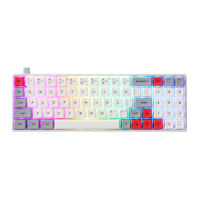
GK980+ RGB USB+ BT+2.4g 3modes keyboard
888
Mac
4)
fillälJäl'¯
läfii11Ä11Ä11ÄlIÄlIÄlIÄlIÄ11Ä11ÄfiilIÜl filJUlJUl,_.
t Shift
t Shift
z x c B
N M
SIQICONG@
2 3
End
pgon
Enter
Mode switch function
Switch 1
Pull it to Win, itis Win mode win
Pull it to Mac, it is Mac mode
Switch 2
Pull itto BT. itis BT mode
Pull it to 2.4. it is 2.49 mode
USB wired mode in the middle I Turn off the battery
2.4g receiver
2 4g receiver
Keyboard indicator
1 Num Lock A
Caps Lock
M Win Lock & other
Question and Answer IconNeed help?

Do you have a question about the Skyloong GK980 Triple-mode and is the answer not in the manual?

Summary

Keyboard Mode Switching

Switch 1: Windows Mode

Controls wired/wireless mode switching, specifically for Windows OS.

Switch 2: Bluetooth & 2.4 G Modes

Controls Bluetooth/2.4G modes, supporting USB wired as fallback.

Keyboard Status Indicators

Num Lock Indicator

Indicates the status of the Num Lock key.

Caps Lock Indicator

Indicates the status of the Caps Lock key.

Win Lock & Other Indicators

Indicates status of Win Lock and other special key functions.

Fn Function Key Operations

Standard Fn Key Combinations

Explains FN key combinations for Del, Insert, F1-F12, Home, End, Pause.

Backlight Control with Fn

Manages backlight ON/OFF, brightness, effects, and speed via FN key combinations.

System Key Lock & Sleep Settings

Enables/disables Win key and configures sleep timers using FN keys.

Wireless Connectivity

Bluetooth Device Pairing

Guides pairing with Bluetooth devices using FN + 1! and FN + 2@.

2.4 GHz Dongle Connection

Details connecting to 2.4GHz devices using FN + 3#.

Mode Switching and USB Cable

Switches modes (BT/2.4G/USB) and manages power states with FN + Space.

Knob Functionality and Customization

Standard Knob Settings

Defines default knob actions for volume control and mute.

Customizable Knob Operations

Explains driver-based customization for knob functions like zoom.

OS-Specific Mode Function Settings

Win Mode Function Mapping

Defines key functions for Windows mode, modifiable via driver.

Mac Mode Function Mapping

Defines key functions for Mac mode, modifiable via driver.
Skyloong GK980 Triple-mode Specifications

General IconGeneral
BrandSkyloong
ModelGK980 Triple-mode
CategoryKeyboard
LanguageEnglish

Related product manuals