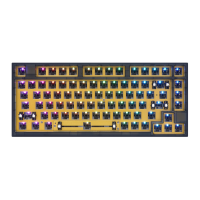
FN function descri (Double-clickFNtolightFN'swhiteLED,FNfunctionis FNagaintoescapefromholdingstatus).
Backlight settings(Can not modify )
FN + function(Standard mode reference settings)
Key
Function
Key
FN+2
FN + 10
Function
FIO
Key
Shift + (
FN + Shift + ;
FN + Shift + ,
FN + Shift + •
Function
FN + backspace Backlight ON/OFF
Backlight mode 1—5(Can modify)
Backlight mode 6—9
Light effect pause/play
Backlight brightness
Backlight brightness +
Backlight Effect Speed —
Backlight Effect Speed +
BT&System settings(BT model only,can not modify)
Key
FN + Space
Function
Bluetooth ONJOFF switch
Link to IJSB modo or the last BT equipment-
Long press. The red&green LED or Z keycap Will
I flash.The bluetoothequipmentcanbo paired
Press. The keyboard will connect the $1 BT equipmentor disconnect
Long press: The red&green LED of X keycap will
flash. The bluetooth equipment can be paired.
Press:The keyboard will connect the$2 BT equipmentor disconnect.
Long press: The red&green LED of C keycap will
flash. The $3 bluetooth equipment can be paired
Press:The keyboardwill connectthe*3 BTequipmentor disconnect.
FN + function(Standard mode reference settings)
Key
FN + numl
FN + num2
FN + num3
FN + num 4
FN + num5
FN + num6
FN + num 7
Function
Del
End
Ins
Key
FN + num 8
FN + num 9
FN + num O
FN + num •
Function
SL
FN + Shift + numo —
FN + Shift + num. +
Note. If the bluetooth pairing is timed out or failed. please re-pair If the bluetooth pairing is
successful on the equipment. but the keyboard can not work still. please delete the keyboard in
the bluetooth list of the equipment and pair again,
Media key(Standard mode reference settings)
FN + Tab
FN + Win
EN + L -Ait
FN + L- Ctrl
Long press for 3 seconds to locklunlock the keyboard
Clock/Unlock Win key
Low voltage&charging status indicator
ONIOFF
Logo LED&back side LED
Keyboard's sleep time setting. white LED flashing on
O never sleep. I :5minutes, 2 nminutes..
9 45mjnutes to sleep
Key
Function
Play/Pause
Previous
Next
Key
Function
@ Mute
Volume—
Volume+


 To Next Page