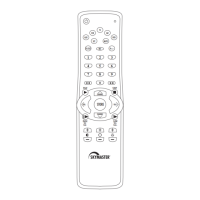
Need help?
Do you have a question about the Skymaster 2435 and is the answer not in the manual?
Program remote using specific brand codes for device control.
Search for device codes when direct entry fails.
Auto-search code library for device compatibility.
Steps to identify the 4-digit device code found during search.
Program volume buttons to control a single selected device.
Set volume control for each device mode independently.
Reset volume and mute functions to factory defaults.
Set the date and time using the remote's controls.
View current date, time, and seconds on remote's display.
Troubleshoot non-functional or code-losing remotes.
Prevent mechanical wear, high temperatures, and humidity.
CR2032 battery use, safety, and disposal instructions.
Select device and general remote operation tips.
Reset remote's learning unit for operational issues.
 General
| Brand | Skymaster |
|---|---|
| Model | 2435 |
| Category | Remote Control |
| Language | English |

 To Next Page