CH8。
· Pan Tracking range :180degree(L90/R90)、120degree(L60/R60)、90degree(L45/R45),
Default90degree
· Tilt Tracking range :120degree(UP60/DOWN60)、90degree(UP45/DOWN45)、60degree
(UP30/DOWN),Default 90degree
· Pan Correction :setup for compensating Pan center offset,0~10 levels, actual angles refers to
rotation angle of the cradle head
· Tilt Correction :setup for compensating Tilt center offset,0~10 levels, actual angles refers to
rotation angle of the cradle head
Recording
· Please format the TF card firstly before record
· Recording is either ok in RF Mode or AV in Mode. Screen displays < >和<memory card info.>,Press
<REC>按 button to start record,and < >in red with recording time displayed
· Press <PHOTO>to capture in preview mode with click (not ok while recording)
· There is both video and audio in default. It is ok to turn off audio in the system menu to record video
only.
· It is also ok to turn off the video record to save power.
Playback
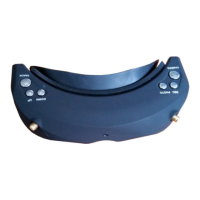
Button functions in playback:
· Long press <REC> to enter playback in RF or AVIN mode. (Please don't connect the AV cable in
playback mode)
· REC <PLAY/PAUSE/OK>
· PHOTO <STOP/BACK>
· BAND <PREVIOUS /BACKWARD >
· CHANNEL <NEXT/FORWARD >
· TRACK <DELETE>
· Videos and photos are previewed directly in playback mode, the last 4 number of the file displayed in top
right corner and duration time for video clips。
· PRESS CHANNEL BUTTON for 2X,4X,8X quick play,and press REC back to normal speed.Press
PHOTO button back to preview or play again or other actions.
· Press TRACK button to delete the file and press REC to confirm.
· The files captured from other devices may not be played properly.


 To Next Page