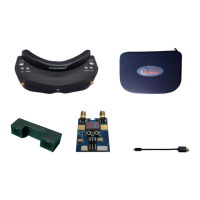
AV input
· The goggles support AV IN. The wireless model will close when the AV IN is connected to save power.
· Please plug off the AV IN cable if playback,and don't plug in while playing otherwise it will exit
automatically.
AV output
· AV Out is the diversity Video and Audio output
· Earphone port is audio output for connecting earphones,Each boot is automatically set to the lowest
volume to avoid sudden loud boot
Format SD card
· Format SD card and press<OK>to enter setup,press <UP/DOWN>and select < YES>,
press<OK>again to format
· Caution: all files will be deleted, please operate sincerely.
Factory settings
· Enter system menu and select Factory settings,press <OK> to setup,press <UP/DOWN> and select
< YES>, and the press <OK> to setup to factory default setting.
Screen OSD Overview
· Recording :Red while recording, Red while record module is closed, SD card is full or SD
CARD error.
· 拍照:Press <PHOTO> button once in video preview, red once indicates one photo is captured.
· Memory card: normal with,capacity with GMB(1000MB)and red when memory is full.
· Mode:RF mode,AV IN mode, PLAYBACK mode
· Mode:Enabled only in RF MODE
· Mode:Displayed when enable Fast 2D in 3D mode and also indicated the signal source from RX1
or RX2.
· Mode:Displayed when close 3D mode or in AV IN, PLAYBACK, FRONT CAMER Mode.
· Mode:Displayed when connected to PC. It is ok to manage the memory card
· / PLAY/PAUSE
· / BACKWARD /FORWARD


 To Next Page