Install the Handles
Storage
Washer Ring
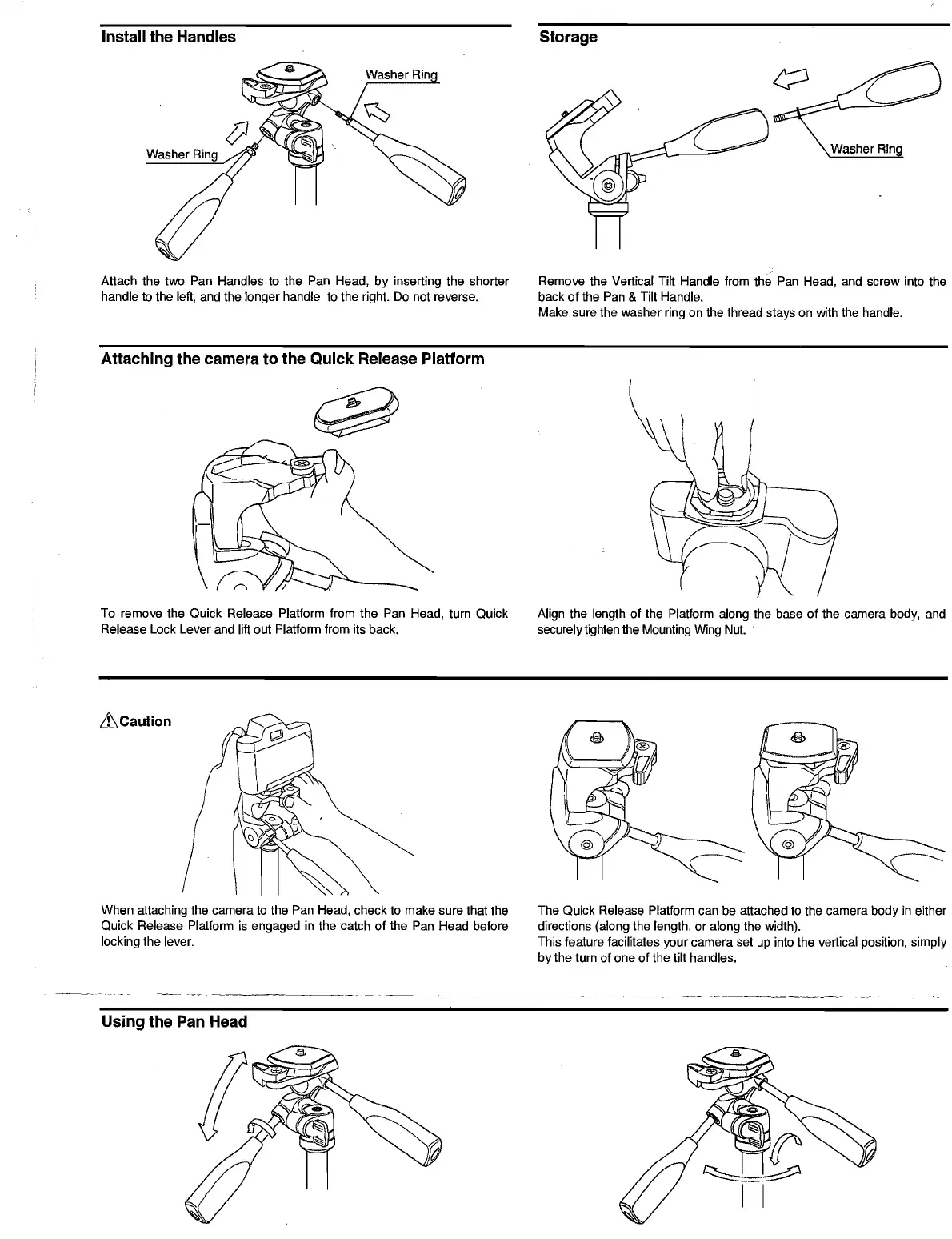
Attach the two Pan Handles to the Pan Head, by inserting the shorter
Remove the Vertical Tilt Handle from the Pan Head, and screw into the
handle to the left, and the longer handle to the right.
Do
not reverse. back
of
the Pan & Tilt Handle.
Make sure the washer ring on the thread stays on with the handle.
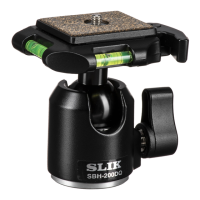
Attaching the camera to the Quick Release Platform
To remove the Quick Release Platform from the Pan Head, turn Quick
Align the length of the Platform along the base
of
the camera body, and
Release Lock Lever and lift out Platform from its back. securely tighten the Mounting
Wing
Nut.
.
LtCaution
When attaching the camera
to
the Pan Head, check
to
make sure that the
The Quick Release Platform can be attached
to
the camera body
in
either
Quick Release Platform
is
engaged
in
the catch of the Pan Head before
directions (along the length, or along the width).
locking the lever.
This feature facilitates your camera set up into the vertical position, simply
by the turn of one of the tilt handles.
------~.--
--.~--
Using the Pan Head


 To Next Page