Using
the
Pan
Head
(Continued)
Loosen the Vertical Tilt Handle, and the level can be adjusted.
LtCaution
When loosening either the
Pan
&
Tilt
Handle, or the Vertical
Tilt
Handle, take
precaution
by
keeping a firm grip on the handle until the Pan Head
is
locked
down.
Removing
the Head
from
the Center
Column
Use the following instructions if you wish to change heads,
or
attach Set the new head,
or
accessory on the tripod's threaded post, and turn
accessories. clockwise until it comes to a stop.
First, lock the Panning Lock Knob, then grasp the Pan,
or
Vertical Tilt
Tighten the Panning Lock Knob and turn clockwise slightly more.
Handle and turn the head, counter-clockwise to loosen.
----
.......
_----_
......
_---
Three
Position
Adjustable
Legs
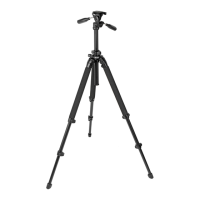
To
change the angle of
each
leg,
close the
Leg
slightly, and then pull the
Leg
Angle Adjustment Lock
out.
There
is
a choice of two other angle positions.
After choosing the desired leg angle, securely push
in
the Adjustment
Lock.
How
to
get
low
level
shots
Extending/Folding of
Tripod
Legs


 To Next Page