Using the Center Column
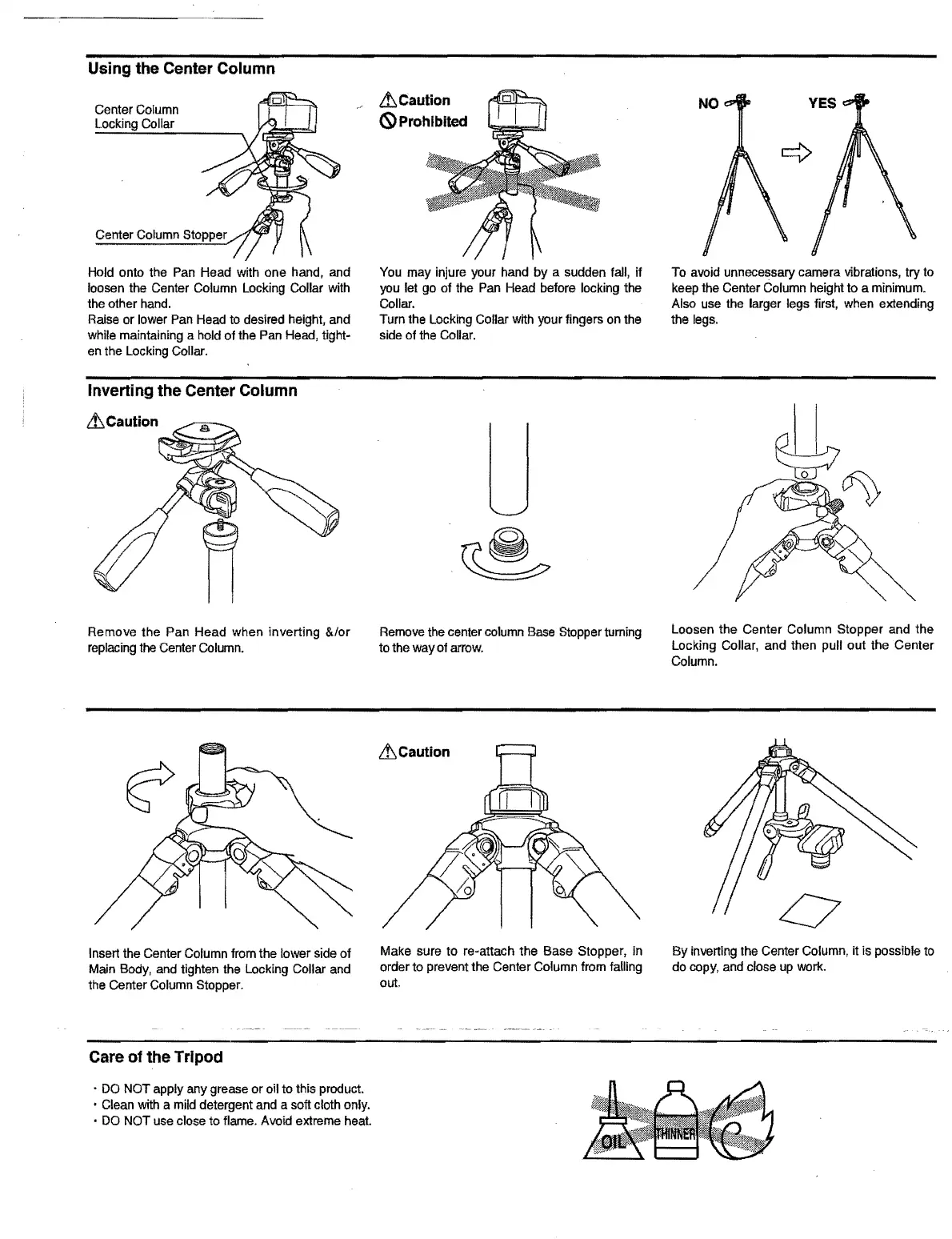
Center Column
locking
Collar
Center Column Stopper
Hold onto the Pan Head with one hand, and
loosen the Center Column
locking
Collar with
the other hand.
Raise or lower Pan Head to desired height, and
while maintaining a hold of the Pan Head, tight-
en the
locking
Collar.
~Caution
(S)
Prohibited
You may injure your hand
by
a sudden fall,
if
you let go
of
the Pan Head before locking the
Collar.
Turn the
locking
Collar with your fingers on the
side of the Collar.
To avoid unnecessary camera vibrations, try to
keep the Center Column height to a minimum.
Also use the larger legs first, when extending
the legs.
Inverting the Center Column
Remove the Pan Head when inverting &/or
Remove the center column Base Stopper turning
loosen
the Center Column Stopper and the
replacing the Center Column. to the way of arrow.
locking
Collar, and then pull out the Center
Column.
Insert the Center Column from the lower side of
Main Body, and tighten the
locking
Collar and
the Center Column Stopper.
~Caution
Make sure to re-attach the Base Stopper, in
order to prevent the Center Column from falling
out.
By
inverting the Center Column, it is possible to
do copy, and close
up
work.
Care of the Tripod
•
DO
NOT apply any grease or oil to this product.
• Clean with a mild detergent and a soft cloth only.
•
DO
NOT use close
to
flame. Avoid extreme heat.


 To Previous Page