.Washer ring
Install the Vertical tilt handle
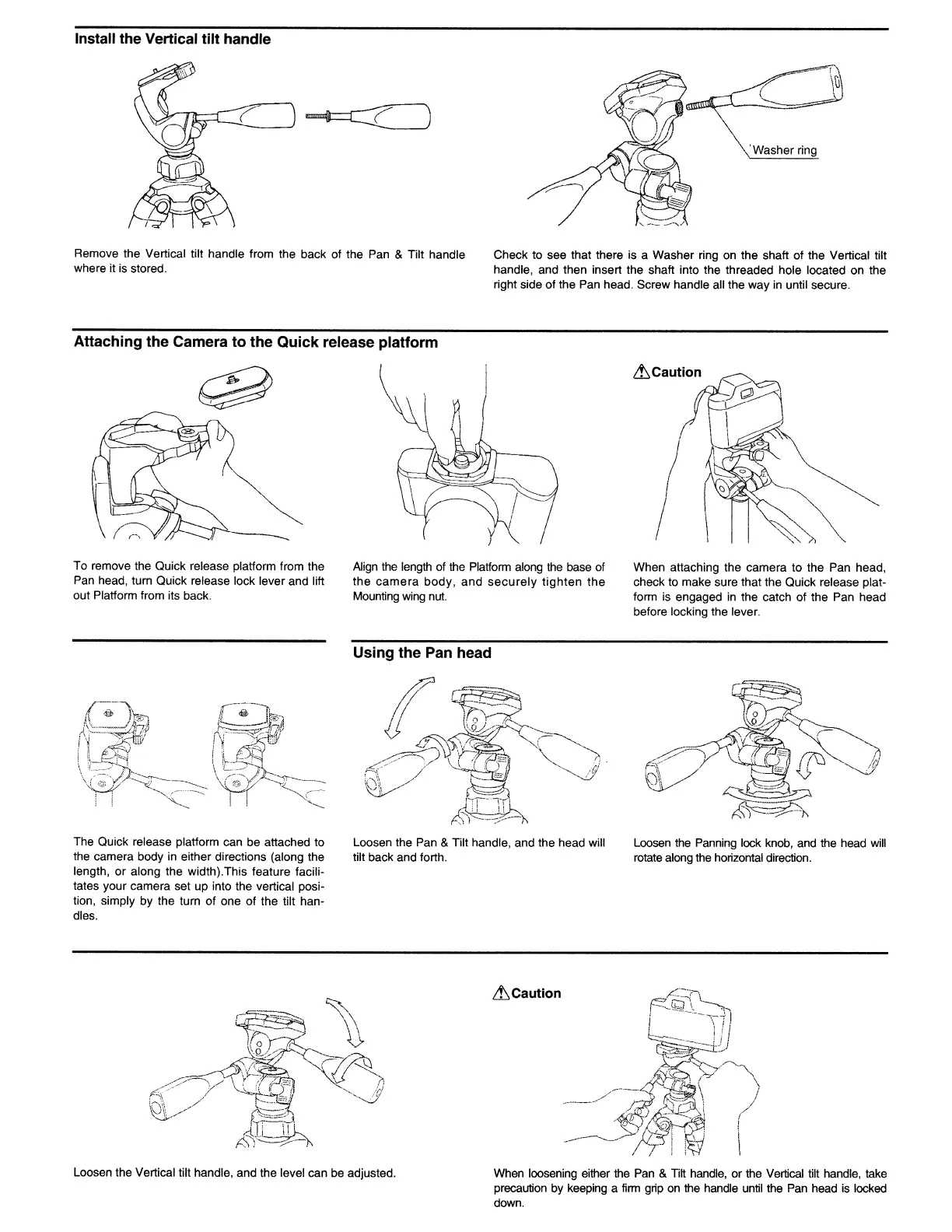
Remove the Vertical tilt handle from the back of the Pan & Tilt handle
where it
is
stored.
Attaching the Camera to the Quick release platform
Check to see that there is a Washer ring on the shaft of the Vertical tilt
handle, and then insert the shaft into the threaded hole located on the
right side of the Pan head. Screw handle all the way in until secure.
To remove the Quick release platform from the
Pan
head, tum Quick release lock lever and lift
out Platform from its back.
The Quick release platform can be attached to
the camera body in either directions (along the
length, or along the width).This feature facili-
tates your camera set up into the vertical posi-
tion, simply by the turn of one
of
the tilt han-
dles.
Align
the length of the Platform along the base
of
the
camera
body,
and
securely
tighten
the
Mounting wing
nut.
Using the Pan head
Loosen the Pan & Tilt handle, and the head will
tilt back and forth.
When attaching the camera to the Pan head,
check to make sure that the Quick release plat-
form is engaged in the catch of the Pan head
before locking the lever.
Loosen
the Panning lock knob,
and
the head will
rotate along the horizontal direction.
Lt,Caution
Loosen the Vertical tilt handle, and the level can be adjusted. When loosening either the
Pan
&
Tilt
handle, or the Vertical tilt handle, take
precaution by keeping a
firm
grip
on
the handle until the
Pan
head is locked
down.


 To Next Page