Removing the Head from the Center column
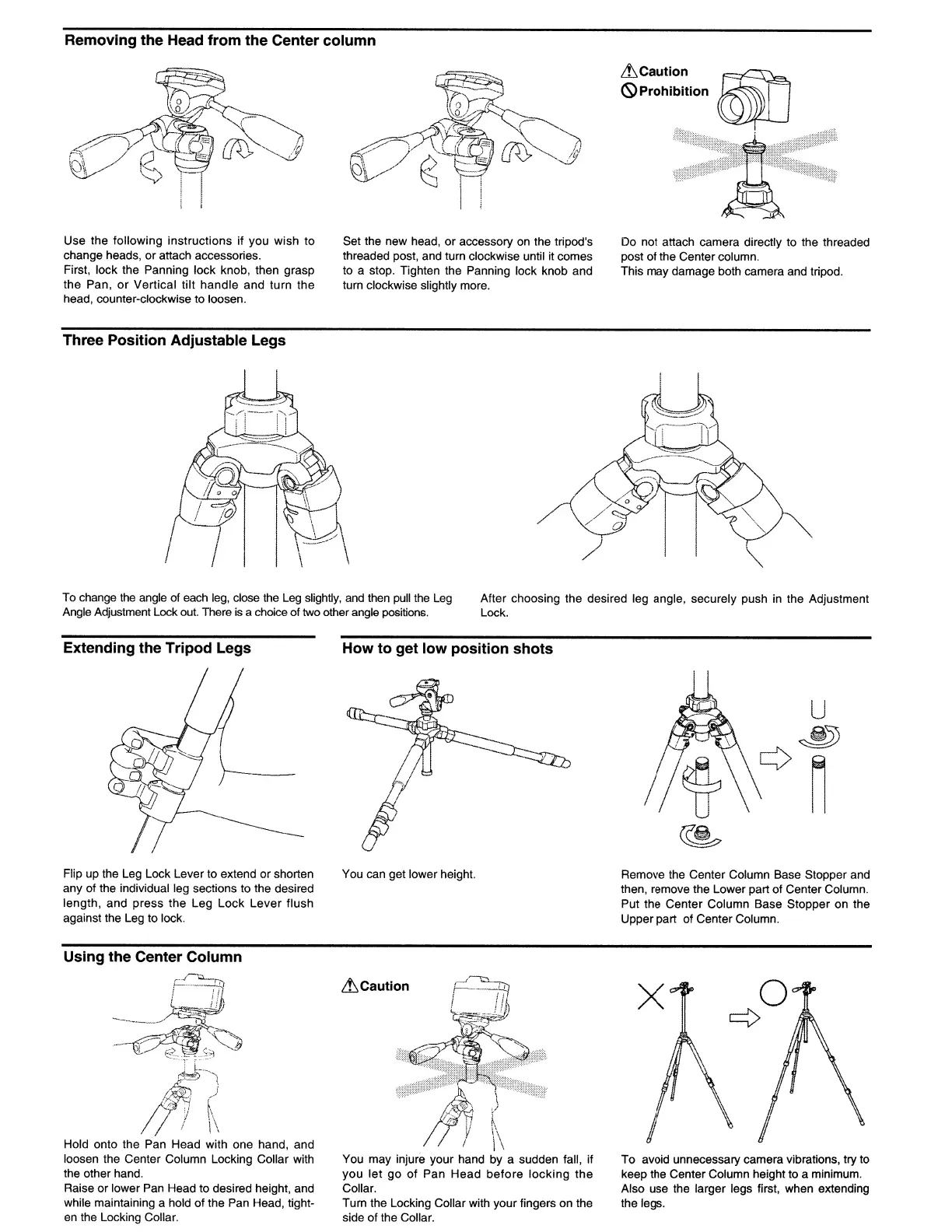
Use the following instructions if you wish to
change heads, or attach accessories.
First, lock the Panning lock knob, then grasp
the Pan,
or
Vertical tilt handle and turn the
head, counter-clockwise to loosen.
Three Position Adjustable Legs
Set the new head, or accessory
on
the tripod's
threaded post, and turn clockwise until it comes
to a stop. Tighten the Panning lock knob and
turn clockwise slightly more.
LtCaution
~
Prohibition
Do not attach camera directly to the threaded
post of the Center column.
This may damage both camera and tripod.
To change
the
angle of each
leg,
close the
Leg
slightly,
and
then
pull
the
Leg
Angle Adjustment Lock
out.
There is a choice of
two
other angle positions.
After choosing the desired leg angle, securely push in the Adjustment
Lock.
Extending the Tripod Legs
Flip up the Leg Lock Lever to extend or shorten
any of the individual leg sections to the desired
length, and press the Leg Lock Lever flush
against the Leg to lock.
Using the Center Column
~
F0;;'
i _
~!
f
--
~"\~
~~"'">J'~
T
~=
~
-,
,~
i
/)
~
(
/
.1
h
/ ! \\
Hold onto the Pan Head with one hand, and
loosen the Center Column Locking Collar with
the other hand.
Raise or lower
Pan
Head to desired height, and
while maintaining a hold
of
the Pan Head, tight-
en
the Locking Collar.
How to get low position shots
/
I
You can get lower height.
LtCaution
\
~
You may injure your hand by a sudden fall, if
you
let
go
of
Pan Head
before
locking
the
Collar.
Turn the Locking Collar with your fingers on the
side of the Collar.
Remove the Center Column Base Stopper and
then, remove the Lower part of Center Column.
Put the Center Column Base Stopper on the
Upper part of Center Column.
To avoid unnecessary camera vibrations, try to
keep the Center Column height to a minimum.
Also use the larger legs first, when extending
the legs.


 To Next Page