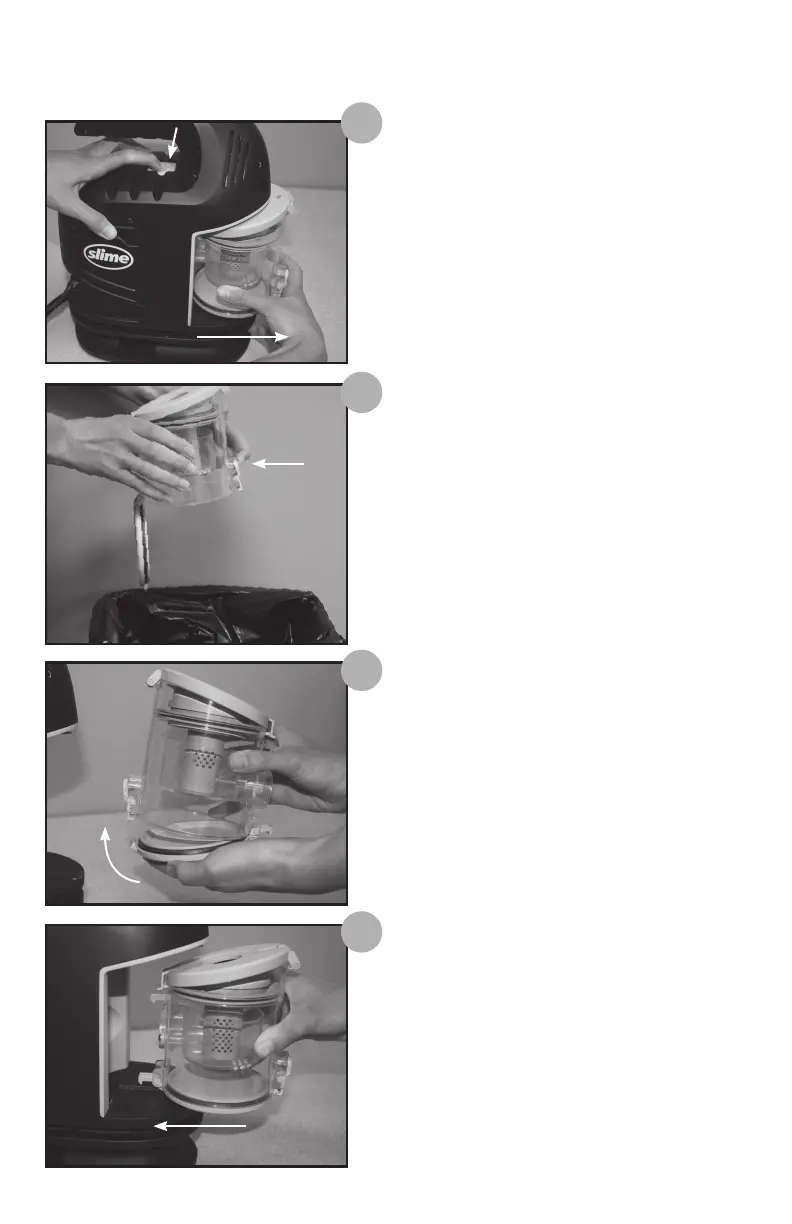
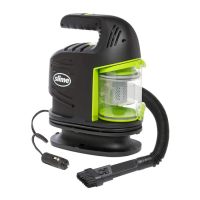
To Remove and Empty Debris Canister:
1
Press the debris canister release button located
under the handle and pull the debris canister
straight out, away from the unit.
To empty the canister, hold it over a trash
receptacle, and locate the green release button
on the bottom front of the canister. Depress
the button and shake out the debris until
canister is empty.
Reinstall the canister into the vacuum unit by
sliding the canister straight into the unit until
seated. An audible click will be heard when the
canister is seated properly.
VACUUM CANISTER REMOVAL INSTRUCTIONS:
3
4
When debris is removed, close the canister door
until green release button snaps closed.
2


 To Next Page