16
en
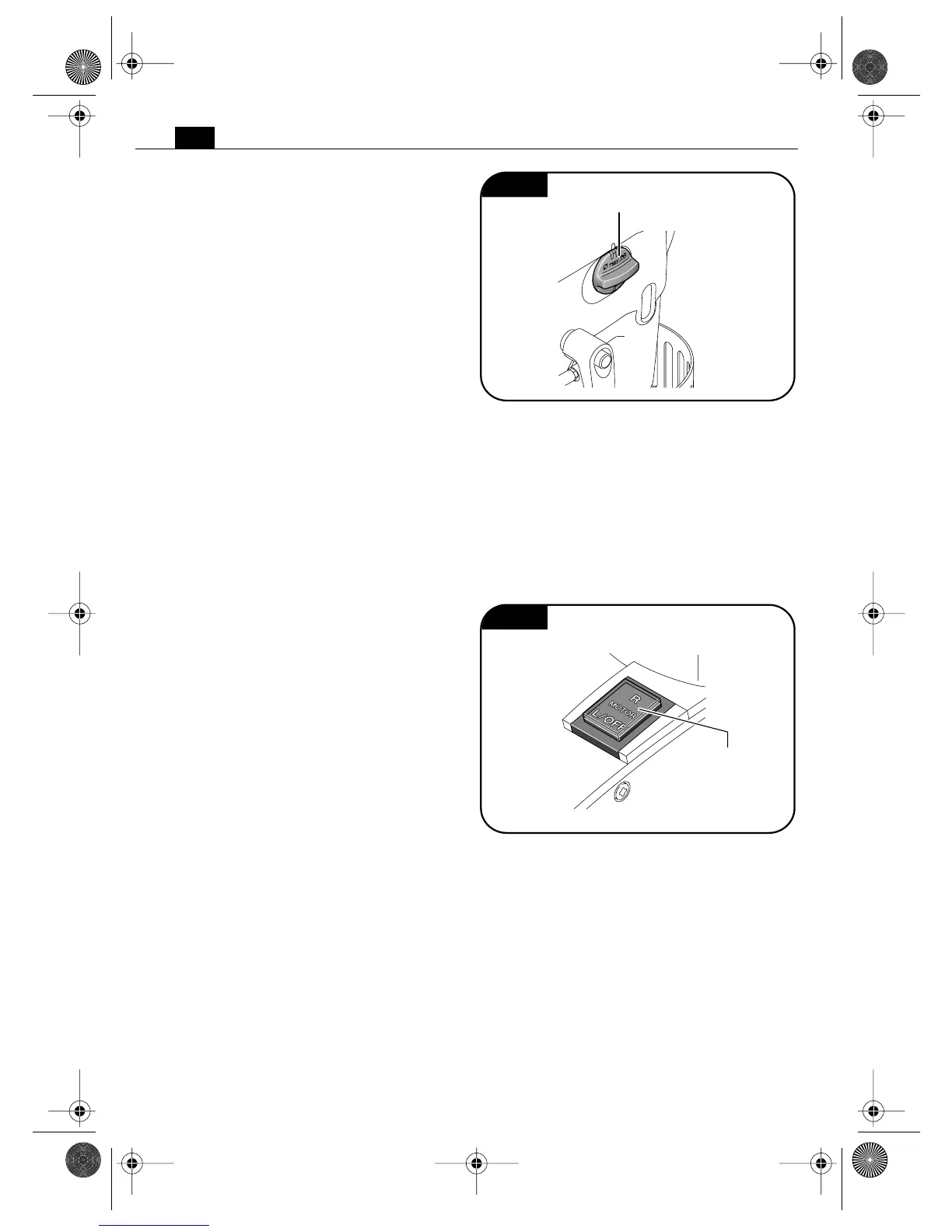
Switching the gear setting (Figure 10).
With the gear switch, you can select the
speed and thus the torque.
Adjust the gear setting only when the
machine is at a complete stop.
➤ Set the switch to gear “I” to work at
low speed with high torque. This setting
is suitable for drilling with large cutting
tools, large drill bits and for tapping.
➤ Set the switch to gear “II” to work at
high speed and low torque. This setting
is suitable for drilling with small diameter
cutting tools and small drills bits.
Starting and stopping the drill motor.
When the power supply is disconnected
while the motor is running, a protective cir-
cuit prevents automatic restarting of the
motor. Restart the motor again.
In case of overload, the motor automatically
stops and must be restarted again.
JCM206Q (Figure 11).
Note: If permissible, open the coolant valve.
Starting the motor in clockwise rotation, full
speed:
➤ Briefly tap the “R” on the motor
switch (clockwise rotation).
Stopping the motor during clockwise rota-
tion:
➤ Briefly tap “L/OFF” on the motor
switch.
Starting the motor in counterclockwise rota-
tion:
➤ Continuously press “L/OFF” (counter-
clockwise rotation) on the motor switch.
Stopping the motor during counterclockwise
rotation:
➤ Let go of the motor switch.
Fig. 10
Gear switch
Fig. 11
Motor switch
ON/OFF
3 41 01 166 21 0.book Seite 16 Mittwoch, 7. September 2011 2:23 14


 To Next Page
 Loading...