AUX RCA inputs. This enables you to level balance two input
sources by passive attenuation!
2. Connect XLR cables from the outputs of the M-Patch 2 to
your active monitors or the amplifier that powers the
monitors. Remember you have two (2) output destinations so
if you have two different monitor pairs (near-field & far field
(room speakers)) you can connect one pair to output 1 (L&R),
and the other pair to output 2 (L&R).
3. Turn the volume all the way up on your monitors or
amplifier, set your software & software volume control panel
to Zero dB, and use the M-Patch 2 on your desktop to control
your monitor level.
Simple, effective, transparent!
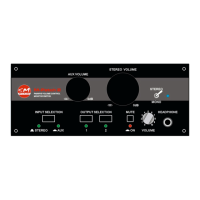
Controlling the M-Patch 2:
- Use the input selector switch on the front panel to
select which input source you wish to listen to (Stereo
or Aux inputs).
- Use the Mute switch when required. Great for powering
down without pops or clicks, or muting without
changing your level control and forgetting exactly
where you last settings were!
- Use the Mono/Stereo switch if you want to sum the
stereo signal to mono for testing.
- Use the Output selector to select output 1 or 2 for
listening. Great to A/B listen between near-field and
far-field monitors pairs.


 To Next Page