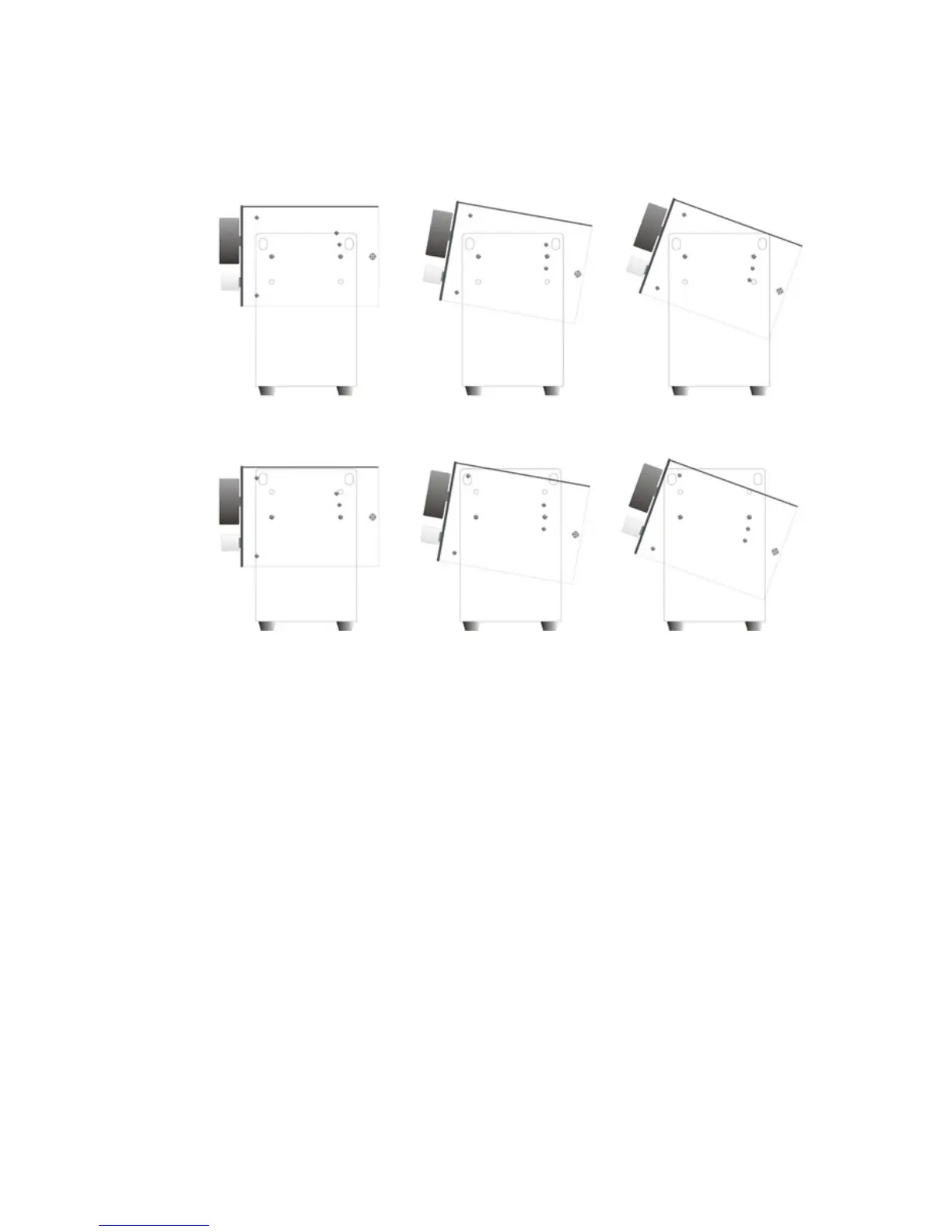
Desktop installation
For desktop angled mounting simply connect the included
rack/stand mounting ears in an upright manner to each side of
the M-Patch 2 using the included screws. Multiple screw
positions are available on each side of the M-patch 2 which
allow a user defined selection of up to six (6) different angled
positions. Screw the included rubber feet/stoppers onto the
bottom of the rack ears as to provide stability to the M-Patch
2 in addition to protecting your desktop.
* Note: Please take into consideration your particular setup
and cable arrangement when deciding on mounting your M-
Patch with the highest degree of angle in relation to your
desktop surface. You will need to ensure that you have
enough space to connect your cables!.


 To Next Page