3
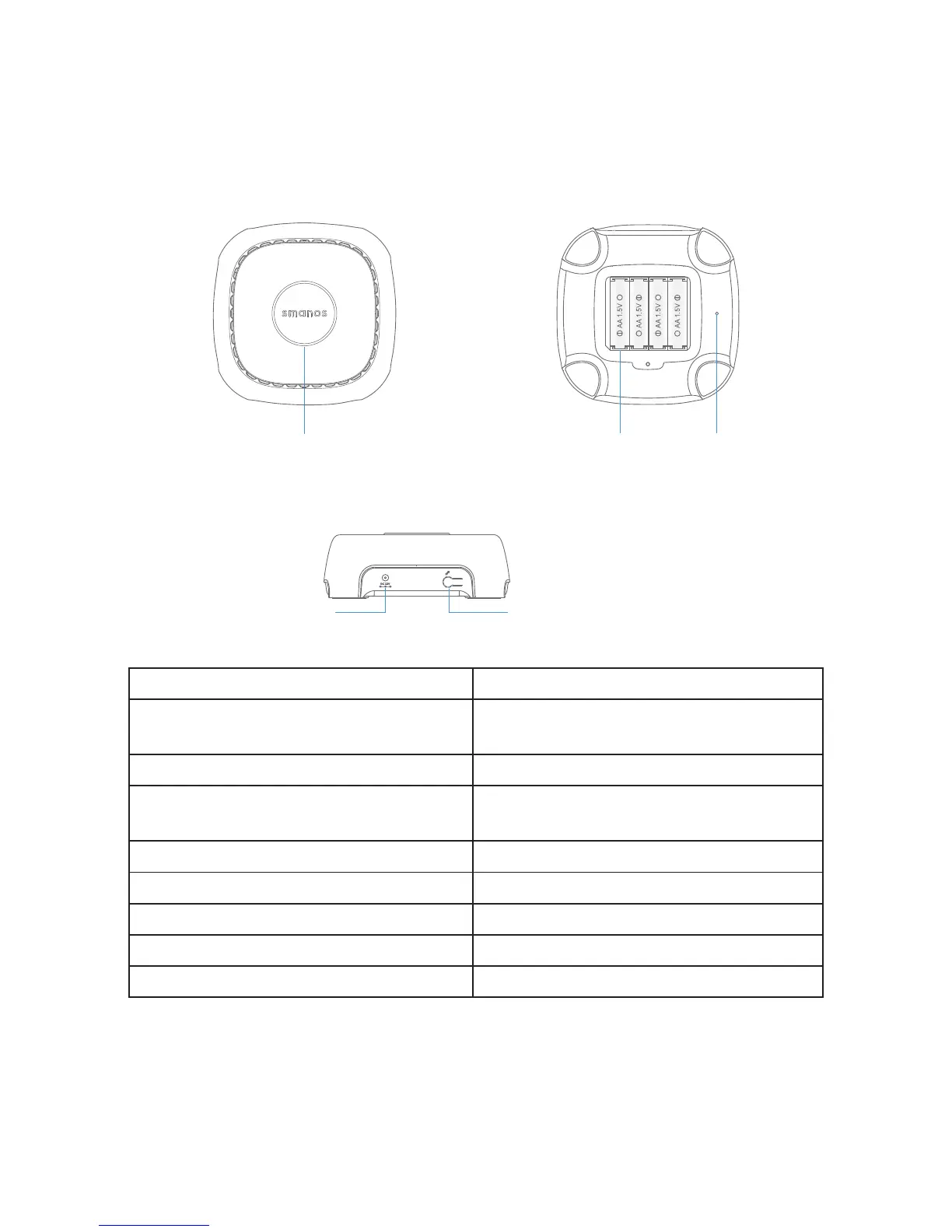
Getting to Know Your WiFi Alarm System
Hub
Front Rear
Status Indicator
@
@
@
@
Reset Button
Battery
Side
1HWZRUNFRQÀJXUDWLRQEXWWRQ
Adapter Jack
$OWHUQDWLQJUHGDQGEOXHOLJKWVÁDVK :L)L&RQÀJXUDWLRQ0RGH
Alternating red, green and blue lights
ÁDVK
Ready to pair with new accessory
Solid light Stable WiFi connection
Flashes once every second
No Connection / Disconnected from
the router
Flashes every 3 seconds Low battery
5HGOLJKWÁDVKHVTXLFNO\ A sensor has triggered the Alarm
Red light Armed
Blue light Armed in Home Mode
Green light Disarmed
Note: The Hub must be always connected to AC power in order to maintain a WiFi connection. When
AC power is lost, the speaker will beep for 30 seconds, and the Hub will stay online for 2 minutes; long
HQRXJKWRVHQGRXWSXVKQRWLÀFDWLRQVWRXVHUVDOHUWLQJWKHPWRWKHSRZHUGLVFRQQHFW7KHV\VWHP
will remain active in a local manner only and, if armed, will monitor and sound siren if any sensor is
triggered.



 To Next Page