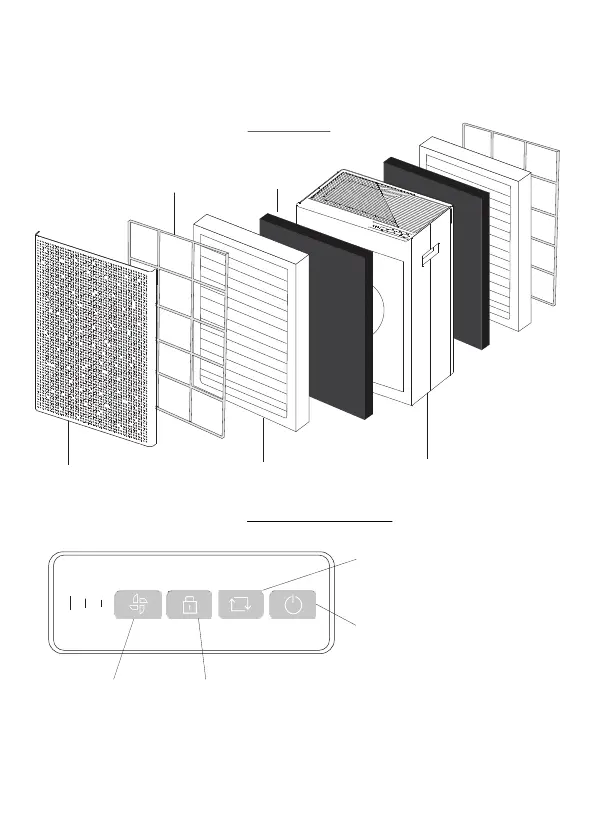
Getting To Know Your SA600
Front Cover HEPA Filter
Activated Carbon FilterPre-filter
Purifier Body
Front View
Control Panel View
Power On/Off Button
‘Child Lock’ Button
Press this button 3 seconds to enter this mode.
To exit ‘Child Lock’ mode, press 3 seconds again.
Find out more about this mode (page 5).
Fan Speed Button
Press this button to adjust
fan speed: Low, Medium, High.
Filter Reset Indicator
This will flash when it is time to replace the
filter. Replace the filter according to the
instructions (page 6).


 To Next Page