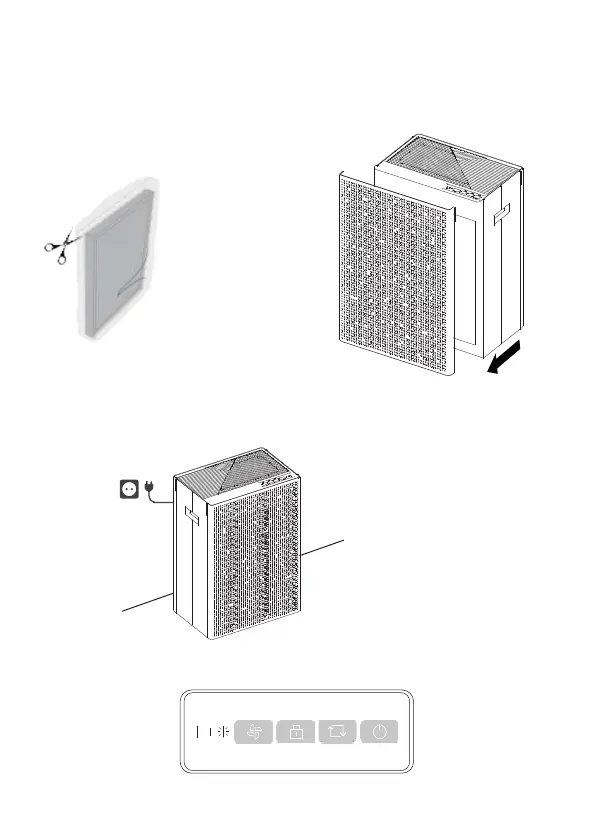
Turning On Your SA600
Follow these steps to start breathing cool, clean air with your SA600:
Step 3: Press the Power On/Off button on the control panel to turn
on.
Step 1: Remove SA600 from the box.
Pull out the front cover of your SA600.
Remove the bags from the filters.
Step 2: Place your SA600 on a firm, level and flat floor & plug the
supplied power cord into an AC outlet.
The indicator lights on the buttons will light up once connected to power the first time.
The SA600 defaults to a fan speed of ‘Low’.
1. For proper air flow, ensure the inlets (front
and back) are located at least 30cm (1 ft) from
any wall or item of furniture.
2. Air enters the air purifier from the front
and back, make sure neither side is
blocked.


 To Next Page