4.2 Mounting
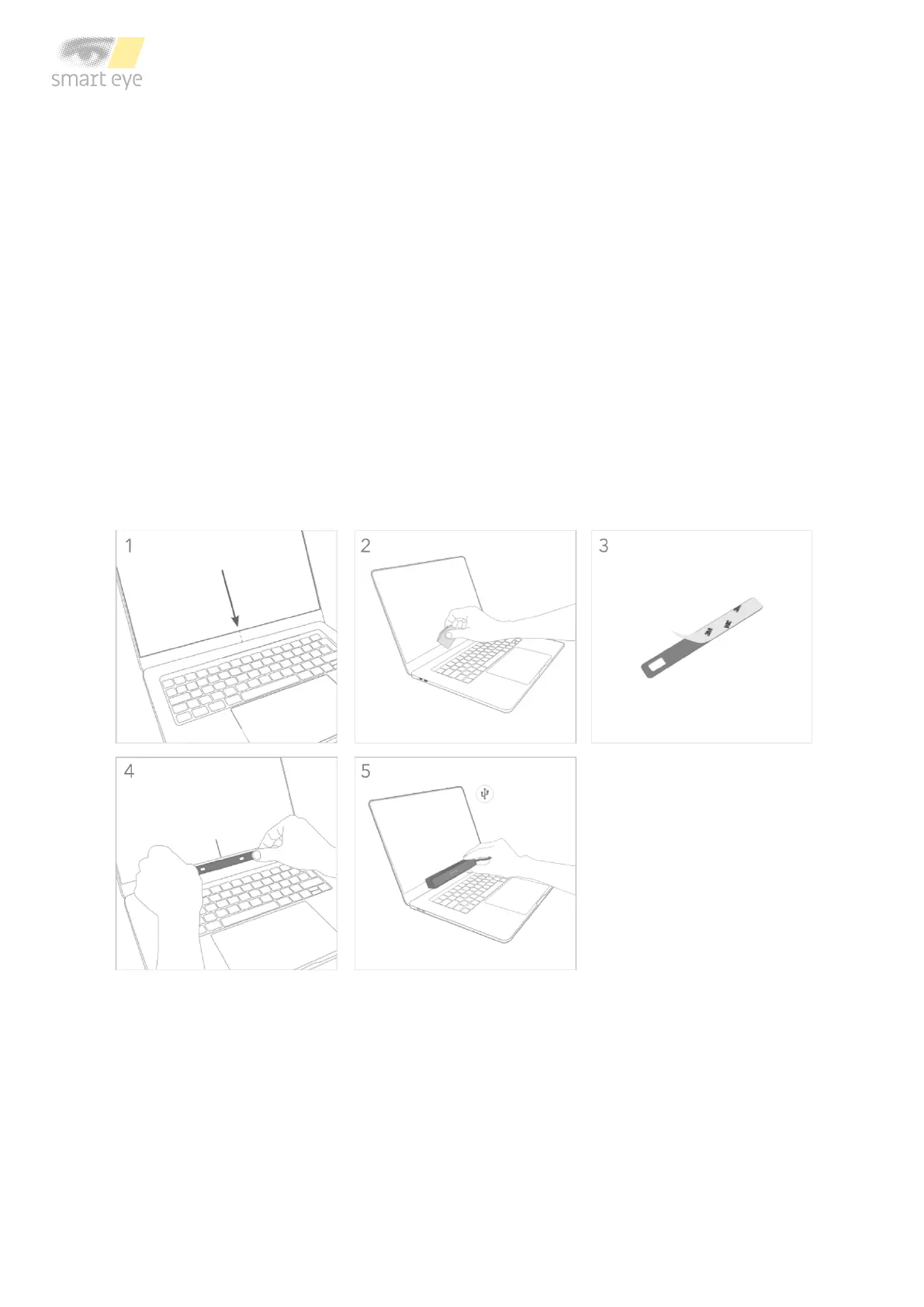
The mounting bracket and Chem Pad™ wipe can be found in the box. To mount the eye tracker
follow the steps below:
1. Find the center of the lower screen edge by marking manually or by using the center
marker in the Smart Eye Setup Tool.
2. Clean the mounting area around the center with the Chem Pad™ wipe.
3. Remove the adhesive tape cover from the bracket.
4. Align the center of the bracket with the center of the lower screen edge. Make sure the
bracket is straight. Press and hold for 30 seconds.
5. Attach the eye tracker to the bracket and connect the eye tracker to the computer using
the supplied cable. If the cable is of type USB-A, make sure to connect it to a USB 3.0
port on the computer.



 To Next Page