18
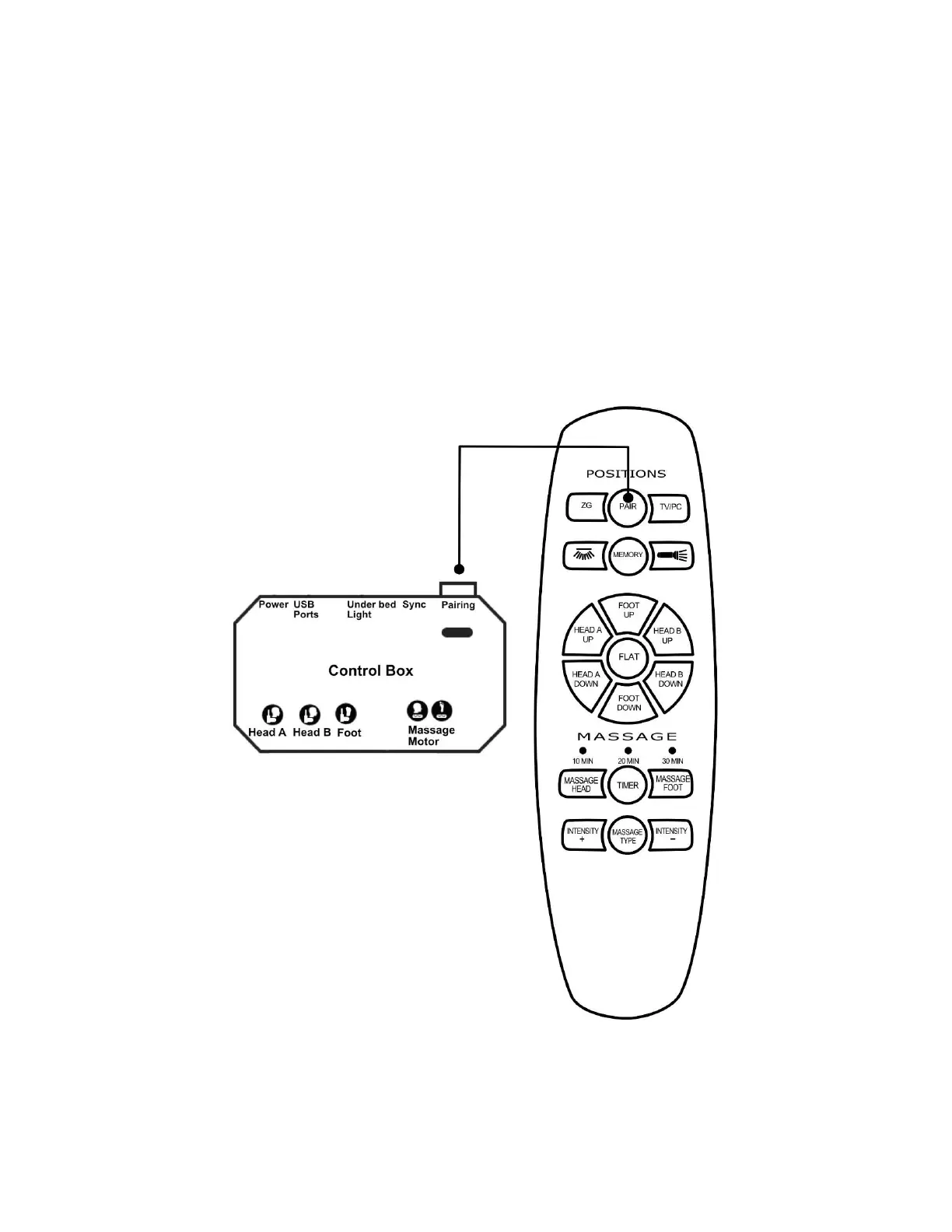
8. If your remote control does not work then you must pair itwith
the control box yourself. First, insert 2 AAA batteries (included) into
your wireless remote control. Pair your Wireless
Remote Control with the Control Box by pressing the Pairing Button
on the Control Box twice quickly (The blue pairing light will turn on).
Then, press and hold the pair button on the remote control for 8
seconds. The remote LED will start flashing. The Blue pairing light on
the control box will turn Green to indicate pairing is complete.
Otherwise, repeat the above steps.


 To Next Page