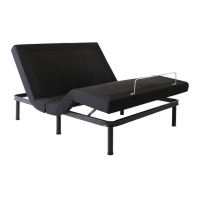
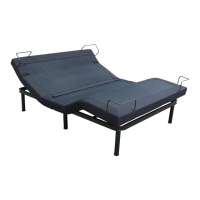
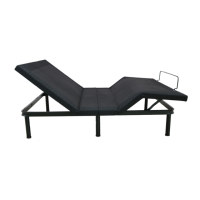
Need help?
Do you have a question about the Smart Flex SF-1000 and is the answer not in the manual?
Read instructions before use for correct assembly and operation to ensure ideal performance and longevity.
FCC compliance statement regarding harmful interference and device acceptance.
Consult physician for pacemaker use and physical restrictions before lifting/assembly.
Product is for in-home residential use only, not medical or commercial purposes.
Prevent pinching injuries by keeping body parts clear of moving parts and follow electrical safety guidelines.
Maximum weight limit is 1000 lbs. Overload may cause overheating and shutdown.
Do not sit on the bed during lifting/lowering cycles or in raised positions.
Details input/output voltage and fuse protection for motor short-circuits. Seek professional assistance for fuse replacement.
Keep children/pets away. Move product flat with 2 people. Do not use near flammables.
Unplug before connections. Do not insert wrong items. Cease use if components are damaged.
Keep power cord away from heat. Do not use if damaged or wet. Avoid moisture exposure.
Lists all included components such as legs, motors, control box, remote, cables, and manual.
Steps for unfolding the bed base, extending center legs, and tightening corner legs.
Diagram showing connections between control box, power, USB, and motors.
Download OKIN ComfortBed II app for Bluetooth control and alarm functions.
Describes app modes, bed position control, and setting memory positions.
Set head/foot massage intensity, on/off, and timer settings with underbed lighting.
Set alarm repeat dates, wake-up positions, ringtones, and toggle alarm on/off.
Instructions for Zero G, TV/PC presets, memory function, and underbed lighting control.
Details for raising/lowering Head A, Head B, Foot, and setting the flat position.
Cycle massage intensity, set timer, and select massage pattern types for head and foot.
Troubleshoot no power, dead remote indicator, or transformer issues.
Address massage not working or head/foot position issues by checking connections or replacing parts.
Guide to pair the wireless remote control with the control box if it fails to operate.
Tampering voids warranty. Product is for in-home residential use. Exceeding limits voids warranty.
Contact customer service for claims within 20 days. Keep receipt and model number.
3-year parts/labor, 20-year frame warranty. Details on replacement parts and procedures.
Covers defects but excludes damage from misuse, unauthorized repair, or improper operation.
Provides contact name, address, phone numbers, and email for Smart Flex Canada.
 General
| Brand | Smart Flex |
|---|---|
| Model | SF-1000 |
| Category | Indoor Furnishing |
| Language | English |

 To Next Page