① Similar to the dynamic password, first ensure that the wireless module has been detected at the door lock end
and the time has been calibrated;
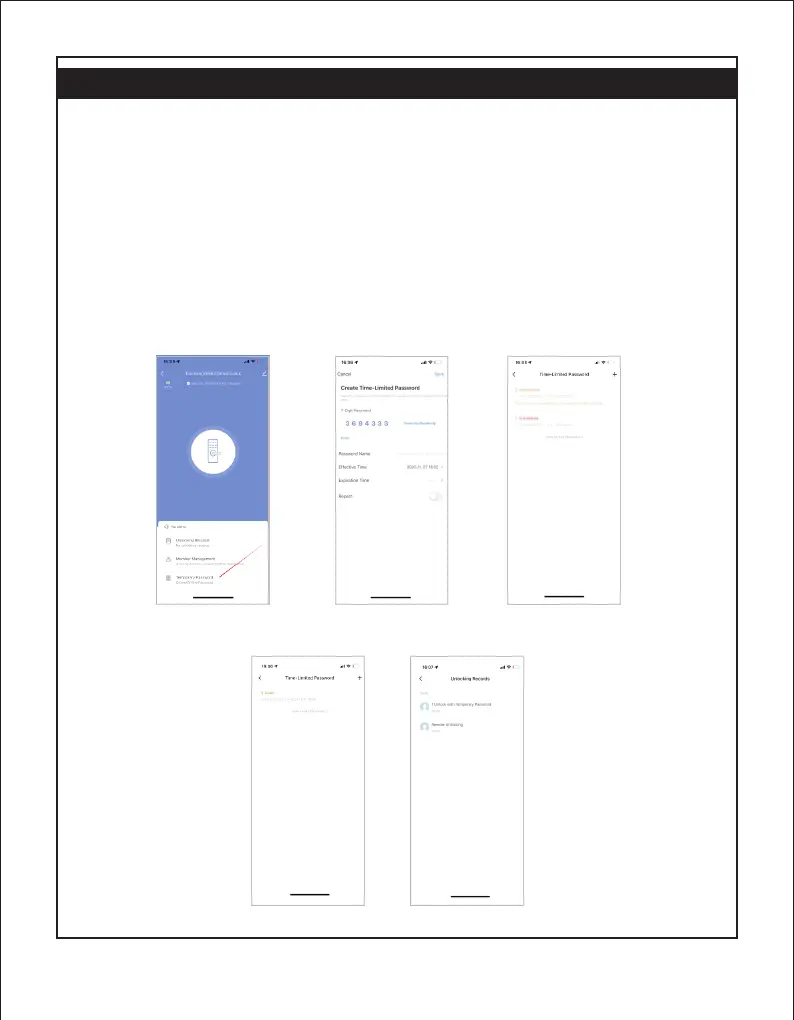
② Create a temporary password on the APP side, enter the password, name and valid time, and "to be issued" will
be displayed after creation;
③ Press "9" + "#" on the door lock to wake up the T
12. Temporary password
uya module, and the module indicator will light up.
(Some door locks wake up the module when they are touched, you do not need to press 9#, please operate
according to the actual situation).
④ Wait for the connection to be connected. After connecting to the Internet, the temporary password of the cloud
will be obtained. The status of the temporary password will change from "to be issued" to "in use", and it can be
used.
⑤ Enter the temporary password, after the verification is successful, the door lock will be unlocked and the door
opening record will be reported. (Note: Unlike the dynamic password, there is no need to wake up the module
and then enter the password)
Note: The temporary password can be unlocked unlimited times within the valid period.


 To Next Page
 Loading...