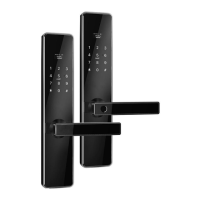
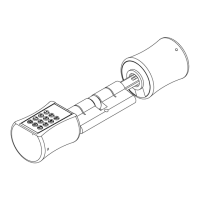
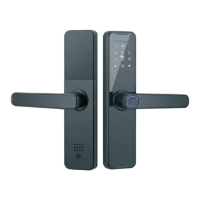
This document outlines the installation, operation, and management of the S31 Smart Lock, a sophisticated security device designed for various door types. The manual provides comprehensive instructions to ensure users can effectively set up and utilize the lock's advanced features.
The S31 Smart Lock offers multiple unlocking methods, including Bluetooth, fingerprint, passcode, IC card, and traditional mechanical keys, providing flexibility and convenience for users. Its design emphasizes ease of use, with clear instructions for adjusting the handle direction to suit different door opening orientations. The installation process is broken down into sequential steps, starting with mortise installation, followed by square shaft placement, sliding screw casing, wiring connections for front and back panels, and finally, battery installation. This modular approach simplifies the setup, making it accessible even for users with limited technical expertise.
A key aspect of the S31 Smart Lock is its integration with the TTLock mobile application, which serves as the central hub for managing the device. Users can register an account using their mobile phone number or email, allowing them to connect the lock to their smartphone via Bluetooth. The app facilitates various management functions, such as adding and renaming locks, sending e-keys to other users, and setting up different types of passcodes. Passcodes can be configured as permanent, time-limited, one-time, clear, cycle, or custom, catering to diverse access control needs. The e-key feature allows administrators to grant temporary or permanent access to guests or service providers, with options for remote unlocking and authorized administrator roles.
The smart lock also supports fingerprint and IC card registration, enhancing its security and convenience. The process for adding fingerprints and IC cards is performed directly beside the lock using the app, ensuring secure enrollment. The validity period for both fingerprints and IC cards can be customized, offering flexibility in access management. For enhanced remote capabilities, the S31 Smart Lock can be connected to a gateway, which acts as a bridge between the lock and home Wi-Fi networks. This gateway enables users to remotely view unlock records, calibrate the lock clock, and modify or delete passwords, providing comprehensive control even when away from home.
Maintenance features are also addressed in the manual, with specific instructions for handling low battery alarms and troubleshooting common issues. Users are advised to charge the battery when a low wattage alarm is triggered. The manual includes a detailed troubleshooting section that covers scenarios such as the screen not responding after installation, fast power consumption, and issues with fingerprint registration. These guidelines help users diagnose and resolve problems efficiently, ensuring continuous and reliable operation of the smart lock. For instance, if the screen does not respond, users are guided to check battery installation, power levels, and wiring connections.
The S31 Smart Lock is designed with user convenience and security in mind, offering a robust solution for modern access control. Its multi-functional unlocking methods, intuitive app management, and comprehensive troubleshooting support make it a versatile and reliable choice for various residential and commercial applications. The emphasis on clear, step-by-step instructions throughout the manual ensures that users can maximize the benefits of this advanced smart lock system.


 To Next Page
 General