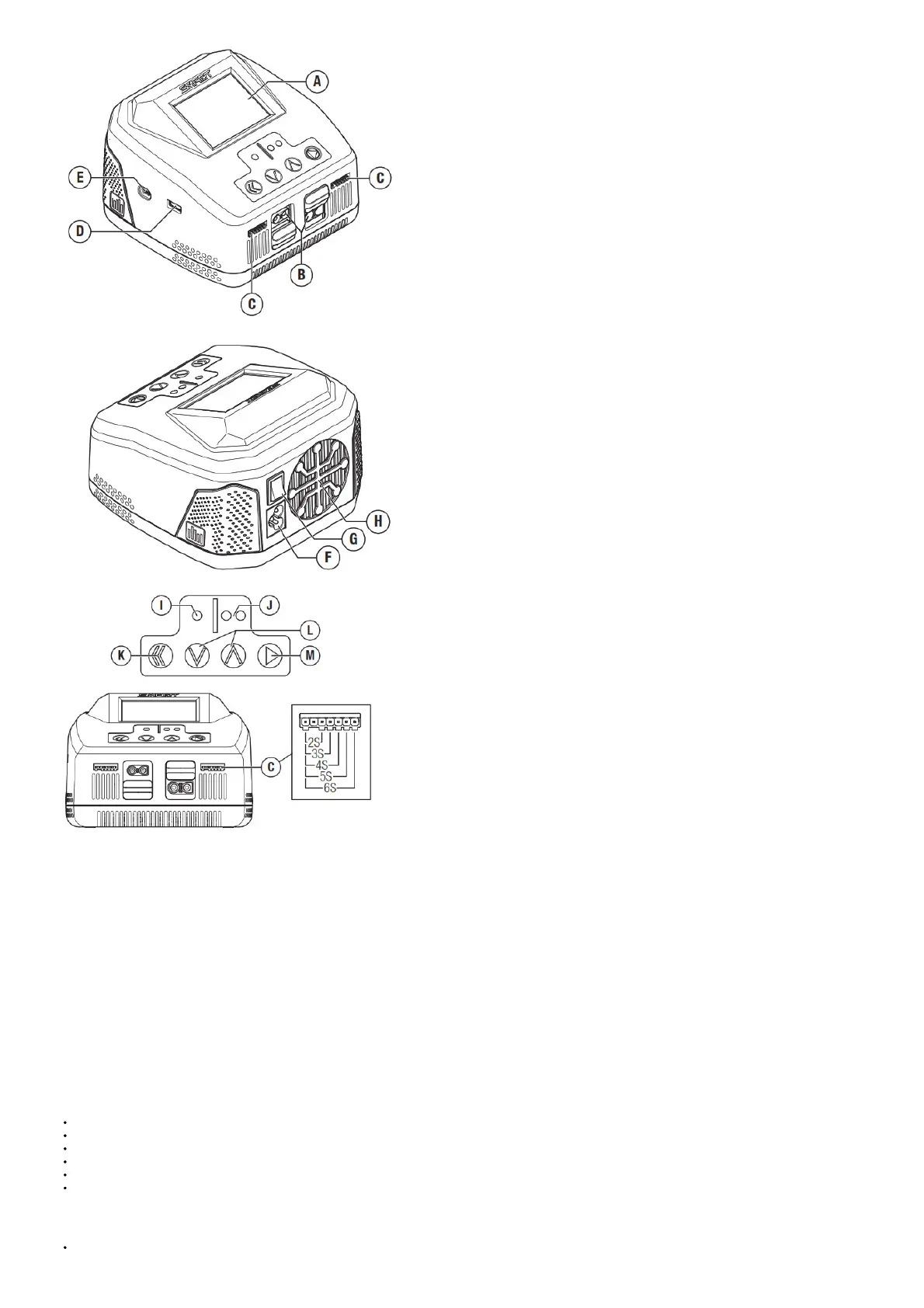
A Display screen
B Charge ports (IC3®, IC5® selectable; EC3®, EC5® compatible)
C Balance ports
D USB port
E Upgrade port
F AC power input (AC 100–240V)
G Power switch
H Cooling fan
I Channel 1 button
J Channel 2 button
K Back button
L Scroll buttons
M Select button
Navigating the Charger
Navigation of the charger menus is accomplished using the push buttons on the top of the charger.
Press the Channel 1 or 2 button to select the desired charging port.
From the channel home menu, press and hold the Select button to enter the charger settings menu for that channel.
Press the Menu/Select button to select a menu item.
Press the Down arrow button to scroll down a menu list.
Press the Up arrow button to scroll up a menu list.
Press the Back button to return to the previous menu.
Charge port connector selection
Each charging port is capable of charging with an IC3 or IC5 connector.
Slide the port cover down to use the IC3 connector.



 To Next Page