CHAPTER2
USING YOUR CAPTURE BOARD
10 smarttech.com/kb/170769
Step Description Reference
Sharing and saving your notes Page16
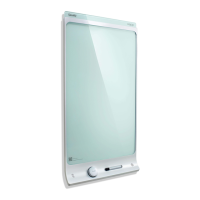
Writing on your capture board
You can write and erase notes on your capture board like you do on a
traditional dry erase board.
l Use the markers provided with your capture board to write or draw.
l Use the eraser provided with your capture board to erase notes.
l Ensure your hands, arms and any loose clothing don’t touch your capture
board’s surface as you write or erase notes.
For information on replacing the capture board’s markers and eraser, see
Replacing the markers and eraser
on page29.
Connecting your mobile device to your
captureboard
Before you can share the notes you have written on your capture board with others, you need to
connect your mobile device to the capture board.
You can connect the following types of mobile devices to your capture board:
Device type Requirements Connection options
Apple
l
iOS 7.1 or later operating system
software
l
50 MB of storage
l
iPhone 4S or later
l
Third generation iPad or later
l
First generation iPad mini or later
l
Fifth generation iPodtouch or
later
Scan the capture board’s unique
QR code


 To Next Page