30 1018488 Rev 06
Alignment FinishIntroduction
Esc
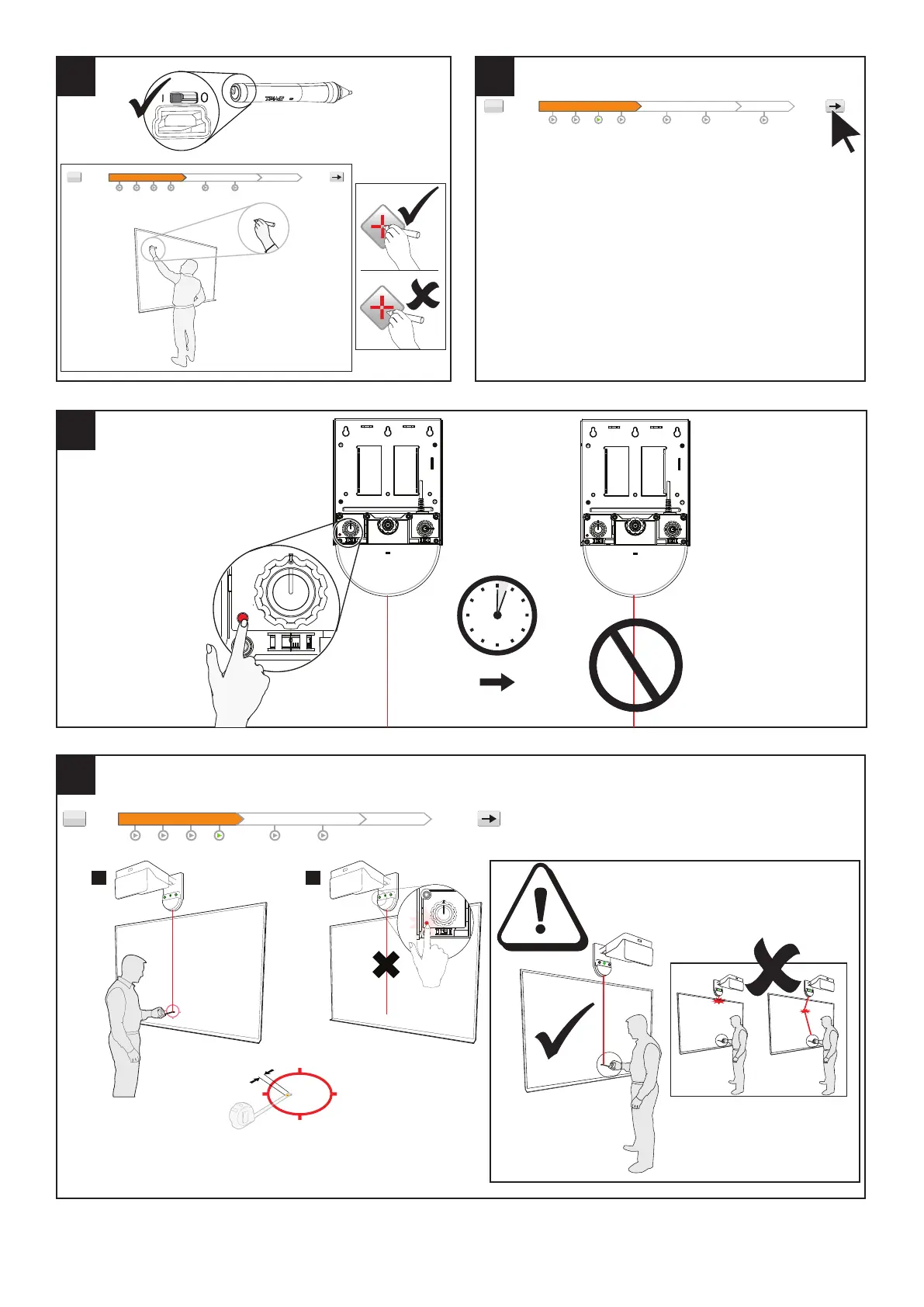
Touch Module alignment
You will be optimizing touch detection by adjusting the touch module so that it can see all corners of your
markerboard/surface.
In order to complete the touch module alignment process, you will:
1. Set HOME position
2. Use the Alignment Tool to complete a series of traces.
3. Adjust the dials on the Touch Module.
After setting HOME position, the alignment process should take 5-10 mins.
Click the ‘forward arrow’ button to go to the next page
Alignment FinishIntroduction
Esc
3 min
Introduction Alignment Finish
Click the ‘forward arrow’ button to go to the next page
Esc
2
1
35 mm (1.5")
8 9
10
×36
11



 To Next Page