On the move 7!11
Driving
Automated shifting (softouch)*
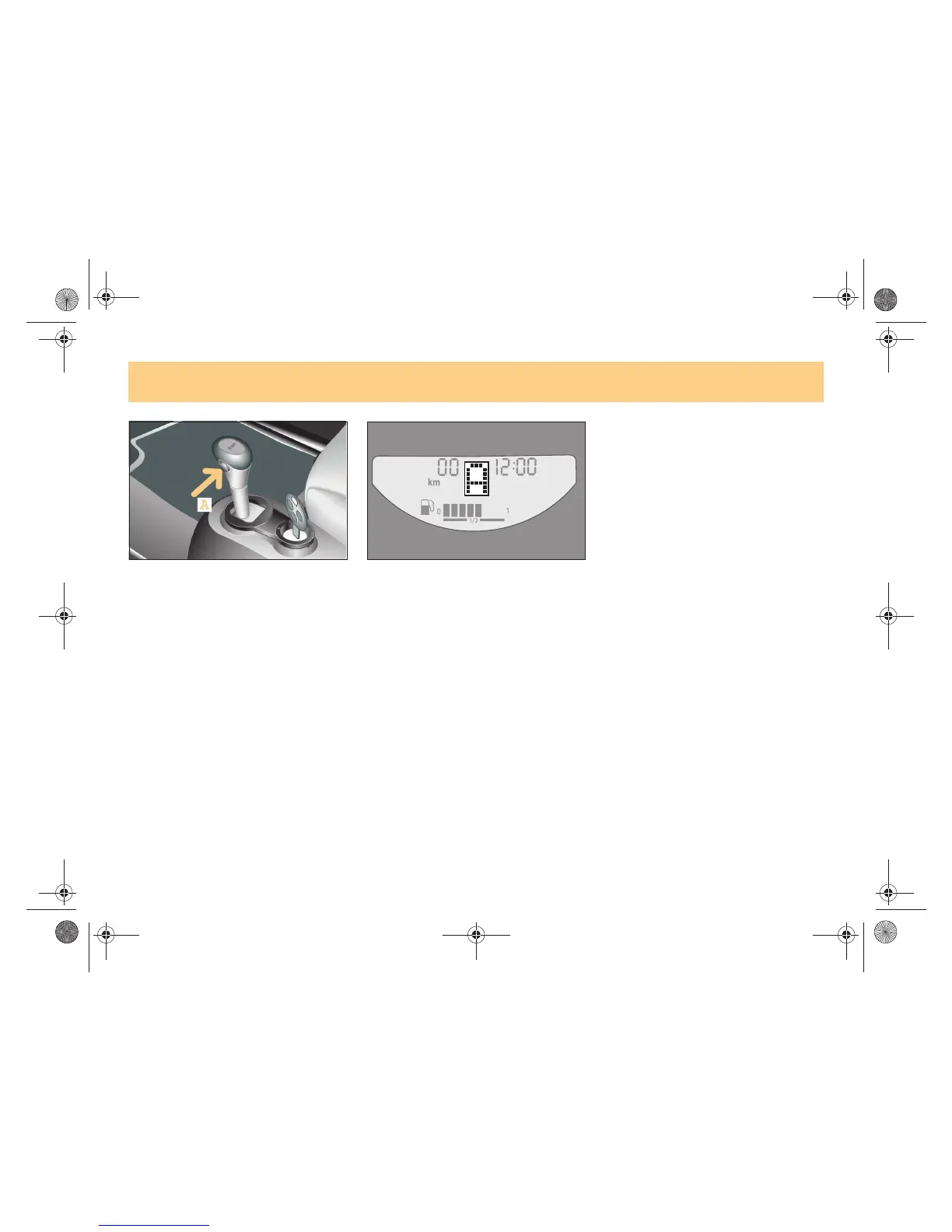
! In the gearshift plane, press the
softouch button (A).
>The car will perform automated
gearshifts.
>An A appears in the gear indicator.
To return to softip:
! Press the gearshift lever or the shift
paddles* on the steering wheel towards
+ or !, or press the softouch button.
>Note!
When you start the car, manual shifting
(softip) is selected.
Exception: Brabus vehicles and vehicles
with 60 kW.
Kick!down function
Vehicles with softouch* or vehicles with
cruise control*:
Use the kick!down function when you want
maximum acceleration.
! Depress the accelerator past the
pressure point.
>The transmission downshifts.
! Take your foot slightly off the
accelerator once you have reached the
desired speed.
If you press the accelerator beyond the
kick!down point to make a sports start,
the clutch is not engaged until the engine
has reached a higher speed.
!"#$%&'()*$#+,,-#.#/01,,2034567(809:;<%%=##>*7)*#??##@%4)&5A#-1;#B=)%<*$#-,,C##??DC?#??














 To Next Page