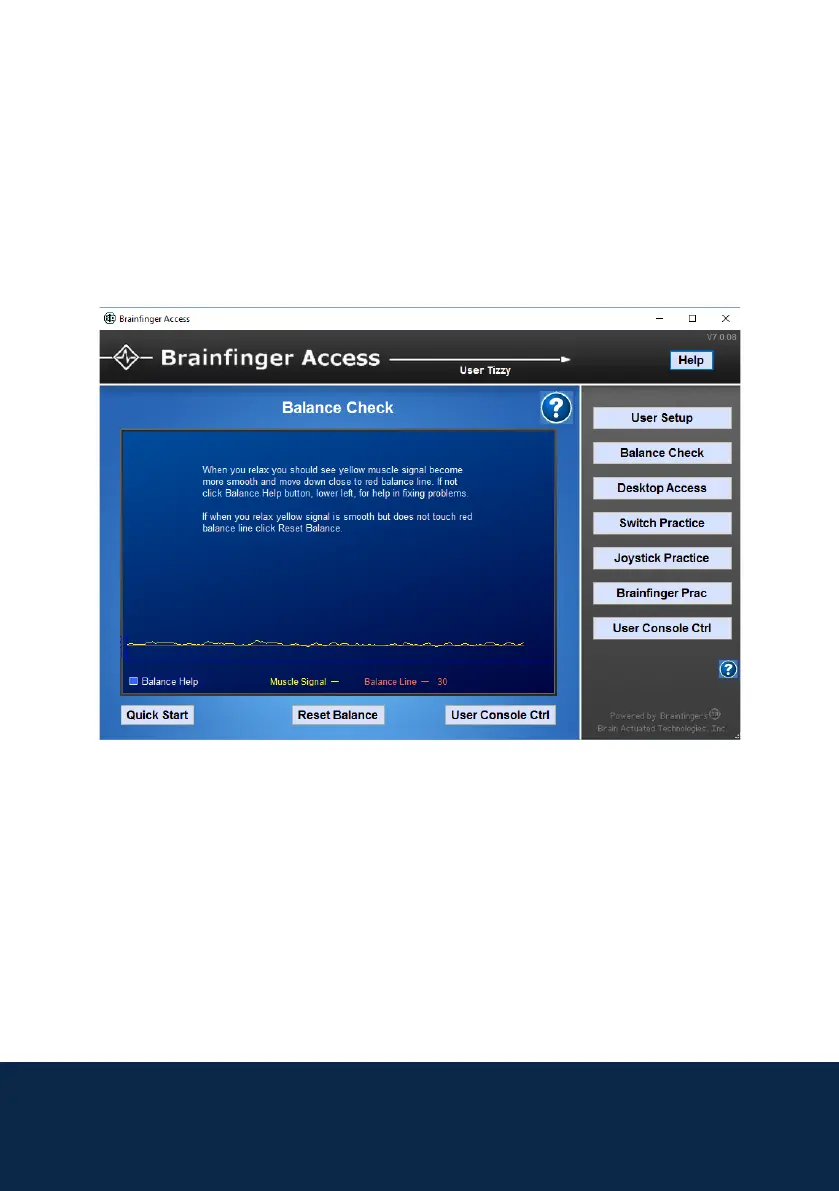
Once you have completed the Balance Check, press Desktop Access and
select Grid Switch Prole and press Launch Prole.
4
This screen shows your muscle signal (yellow line), try to relax and the muscle
signal line should go near the red balance line. If your yellow line does not
reach the balance line you can press Reset Balance to adjust the signal to
you.
Balance Check



 To Next Page