USER’S MANUAL PAGE 16TECH-5000P
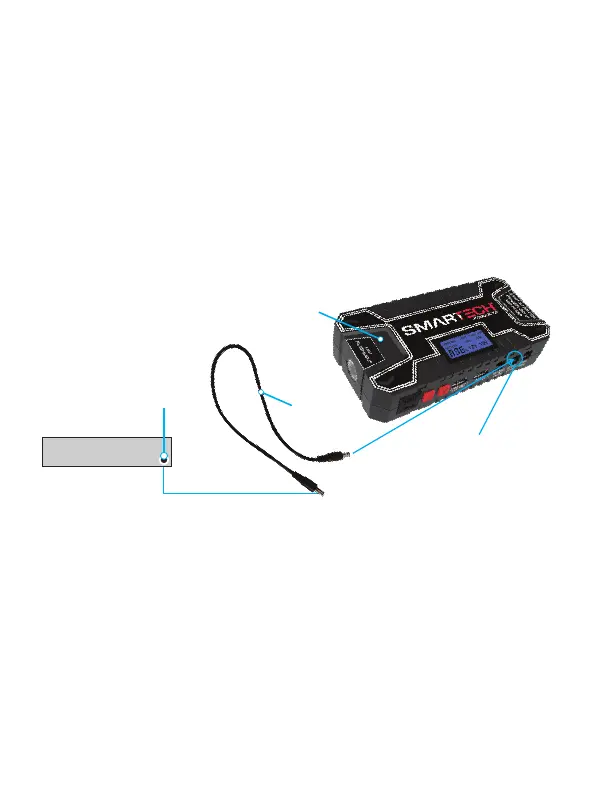
USING THE 12V CONNECTOR CORD
Connect the TECH-5000P Power Bank to a 12V appliance
using the included accessory cord and adapter tip. Press
Power / Flashlight button to start 12V power, and press Power
button to quit. When disconnected, the TECH-5000P Power Kit
will automatically shut off.
Any device
with a 12V
input
Adapter
Cord
TECH-5000P
Power Bank
12V output
for powering
12V device
See detailed diagram below


 To Next Page