EasyManua.ls Logo

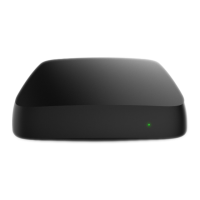
SmartLabs SML-5051W - User Manual

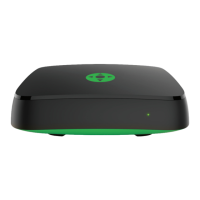
SmartLabs SML-5051W
16 pages
Print Icon
To Next Page IconTo Next Page
Loading...
SML-5051W
User Manual
© 2019 SmartLabs Holding Ltd
Proprietary and Confidential

Questions and Answers

  • J
    Jane KingAug 4, 2025
    What to do if SmartLabs Set-top boxes remote control is not working?
    • R
      Rodney Andrade Jr.Aug 5, 2025
      If the remote control for your SmartLabs Set-top box isn't working, there are a couple of things you can try. First, the battery may be dead, so replace it with a new one. Second, the signal from the remote control might not be reaching the Set-top box. Try reducing the distance between the remote control and the box.
  • M
    Margaret MitchellAug 12, 2025
    How to fix no sound on SmartLabs Set-top boxes?
    • D
      Dana ScottAug 12, 2025
      If you have no sound on your SmartLabs Set-top box, here are some things to check: * First, make sure the sound isn't turned off on your TV by increasing the volume using the TV remote. * Second, ensure the sound isn't muted on the Set-top box itself. Increase the volume using the VOL+ button on the Set-top box remote control.
  • K
    kstevensAug 19, 2025
    What to do if my SmartLabs Set-top boxes screen displays "No signal"?
    • K
      kevin59Sep 12, 2025
      If your SmartLabs Set-top box screen displays "No signal", consider these potential causes: 1. The Set-top box might not be connected to the mains supply. Connect it to the mains supply. 2. The Set-top box could be turned off. Turn it on using the remote control. 3. The TV might be set to the wrong input source. Use your TV remote to select the video input connected to the Set-top box.
  • M
    Michael BarronAug 27, 2025
    Why does my SmartLabs Set-top boxes turn off periodically?
    • A
      April CookAug 27, 2025
      If your SmartLabs Set-top box turns off periodically, it could be due to: 1. Insufficient power supply. Connect the Set-top box to the power adapter included in the package. 2. Overheating. Ensure there's sufficient airflow to the Set-top box, with at least 10 cm (4 inches) of clearance on all sides.

Summary

Safety and Storage

Indicators and Slots

Connecting

Connecting to Internet via Wi-Fi

Remote Control

Replacing the Battery

Remote Control Setup

Changing STB Code

Resetting the Remote Control

First Start

Troubleshooting

No Picture

Solutions for issues where the STB does not display an image.

No Sound

Solutions for problems related to the STB not producing audio.

Remote Control Not Working

Steps to resolve issues when the remote control fails to operate.

STB Turns Off Periodically

Diagnosing and fixing intermittent power-off issues with the STB.

Specifications

Wi-Fi Module

BT Module

RF Compliance Statement

FCC Compliance Statement

ISED Canada Compliance Notice

SmartLabs SML-5051W Specifications

General IconGeneral
BrandSmartLabs
ModelSML-5051W
CategorySet-top boxes
LanguageEnglish

Related product manuals