EasyManua.ls Logo

SmartLabs SML-5041W1 - User Manual

SmartLabs SML-5041W1
11 pages
Print Icon
To Next Page IconTo Next Page
Loading...
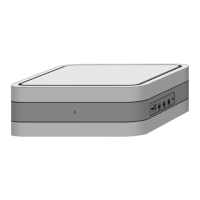
Set-top Box
SML-5041W1
User Manual
©2020 Smartlabs
Proprietary and confidential

Questions and Answers

  • S
    Shannon MaciasAug 6, 2025
    What to do if the SmartLabs Set-top boxes remote control is not working?
    • L
      lindsey86Aug 6, 2025
      If the remote control for your SmartLabs Set-top box isn't working, the issue might be due to dead batteries. Try replacing the battery with a new one. Alternatively, the signal from the remote control might not be reaching the Set-top box. Reduce the distance between the remote control and the box.
  • T
    thomas38Aug 13, 2025
    Why does my SmartLabs SML-5041W1 Set-top boxes screen display 'No signal'?
    • K
      Kent DanielAug 13, 2025
      If your SmartLabs Set-top box displays a 'No signal' message, there are a few potential causes. First, ensure the Set-top box is properly connected to the mains supply. If it is, check that the Set-top box is turned on using its remote control. Finally, verify that your TV is set to the correct input source for the connection to the Set-top box. Select the video input connected to the Set-top box using the TV remote control.
  • E
    Eddie RoweAug 19, 2025
    How to fix no sound on SmartLabs SML-5041W1?
    • J
      James JohnsonAug 20, 2025
      If you're experiencing no sound with your SmartLabs Set-top box, first check that the sound isn't turned off on your TV. Increase the volume using the TV remote. Also, make sure the sound isn't muted on the Set-top box itself. Increase the volume on the Set-top box using the VOL+ button on its remote control.
  • N
    Nicholas AndersonAug 28, 2025
    Why does my SmartLabs Set-top boxes turn off periodically?
    • H
      hfranklinAug 28, 2025
      If your SmartLabs Set-top box turns off periodically, it could be due to insufficient power supply. Connect the Set-top box to the power adapter included in the package. Overheating can also cause this issue. Ensure there's sufficient airflow to the Set-top box, with at least 10 cm (4 inches) of clearance on all sides.

Summary

Distribution Kit

Safety and Storage

Battery Information

Indicators and Slots

Front Panel

Details the indicators and slots located on the front of the device.

Installation

Connecting to Internet via Wi-Fi

First Start

Troubleshooting

Cleaning

Disposal

WEEE Compliance Statement

Specifications

Ports and Interfaces

Details the various ports and connectivity options available on the device.

Wireless Modules

Information on Wi-Fi and Bluetooth module standards and frequencies.

Supported Codecs and Standards

Lists supported video, audio codecs, and CVBS standards.

Licensing and Certification

EC Declaration of Conformity

FCC Compliance Statement

Innovation, Science and Economic Development Canada Compliance Notice

Manufacture Date

About the Manufacturers

Warranty

SmartLabs SML-5041W1 Specifications

General IconGeneral
ModelSML-5041W1
CategorySet-top boxes
Operating systemLinux
Wi-Fi802.11 b/g/n
InterfacesEthernet, USB, HDMI
Video codecsH.265/HEVC, H.264, MPEG-2
Audio codecsAAC, MP3
ResolutionUp to 1080p (Full HD)
Supported Video FormatsAVI, MKV, MP4
Supported Audio FormatsMP3, WAV
Ethernet10/100 Mbps
USBUSB 2.0
HDMIHDMI
Digital Audio OutputS/PDIF (Optical)
Power SupplyExternal

Related product manuals