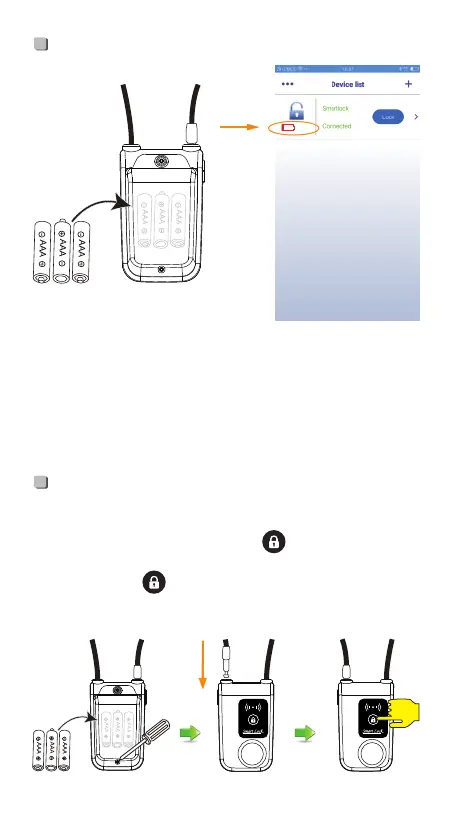
• Install the battery, screw down the battery cover, plug into the
cylinder, and press the lock button“ ”. When the lock
sounds DiDi it means locked. (Blue light will be on when press
the lock button“ ”, and off while release it.)
(It can’t lock or pair, if the above steps are operated in a wrong way.)
-3-
18%
Battery
Lock
• 3 “AAA” size alkaline batteries.
• When the power is lower than 20%, DiDiDi -DiDiDi 2 serial
sounds will come out when unlock. Once the power is less
than 5%, red light will be on while pressing the lock button,
it will be unable to lock, please replace the battery in time.
( the batteries may last 6-8 months in normal)


 To Next Page