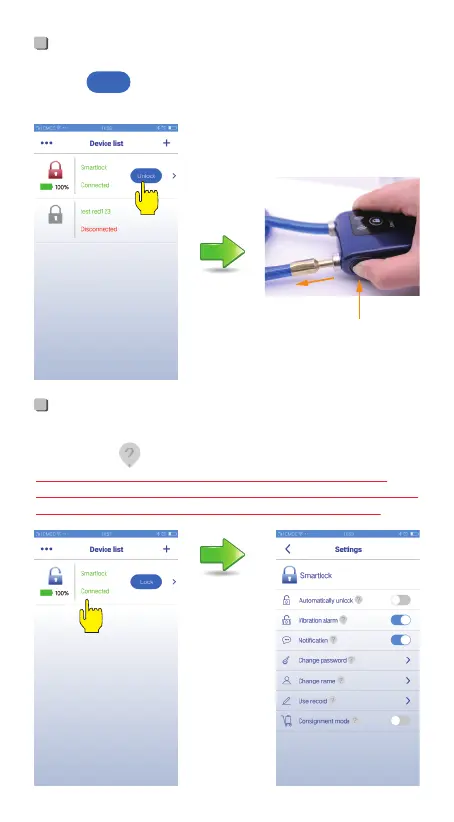
There is introduction of function and settings on setting page,
please click " " to check.
Unlock
Setting
• Click “ ”, blue light flashes, press the lock bar, then
pull out the cylinder, meanwhile it shows Disconnected.
-5-
Unlock
Press lock bar first
Then pull out cable
• Please remember the password. You need to enter the
password when you change the mobile phone or reconnect.
Once you forget the password, the lock won’t be used.


 To Next Page