(Paring between both earbuds)
(Paring between earbuds and Bluetooth device)
Under power-off status, long press the two earbuds simultaneously for 4s.
When the earbuds are powered on the tone ‘DU, power on’, is heard in the
earbud and they automatically enter the pairing mode. (No need to enter
Stereo mode once the paring between both earbuds are done successfully.)
Long press the two earbuds for 7 seconds till the purple light is on (Don’t stop
when the red light and blue light flash alternately), then paring will be
completed automatically with a voice prompt ‘Pairing successful, connected’
is heard in the earbud. You will also hear “Left channel” is heard in the left
earbud and ‘Right channel’ is heard in the right earbud.
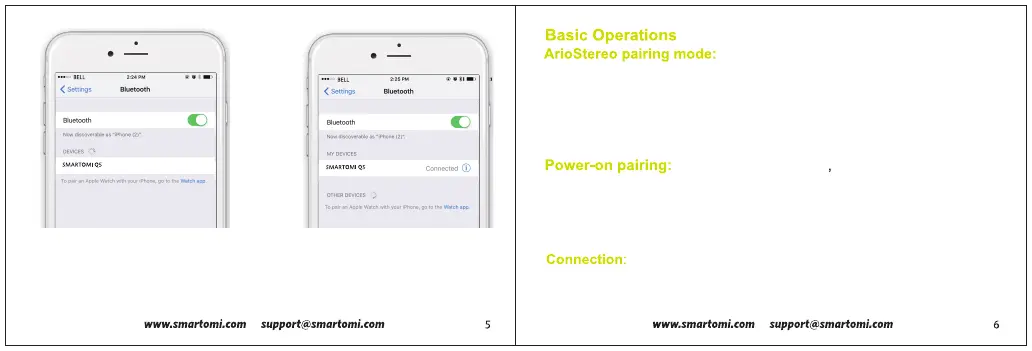
2.Open the Bluetooth section of the
settings on your smartphone or mobile
device and search for the earbud.
3.Find the Bluetooth earbud and
select it, this will connect the
earbuds to the smartphone or
mobile device.
After the stereo pairing is completed,
the left-channel earbud automatically enters the status that the indicators
blink red and blue alternatively. At this time, search for the earbud
information by using a smartphone and then click connect.


 To Next Page