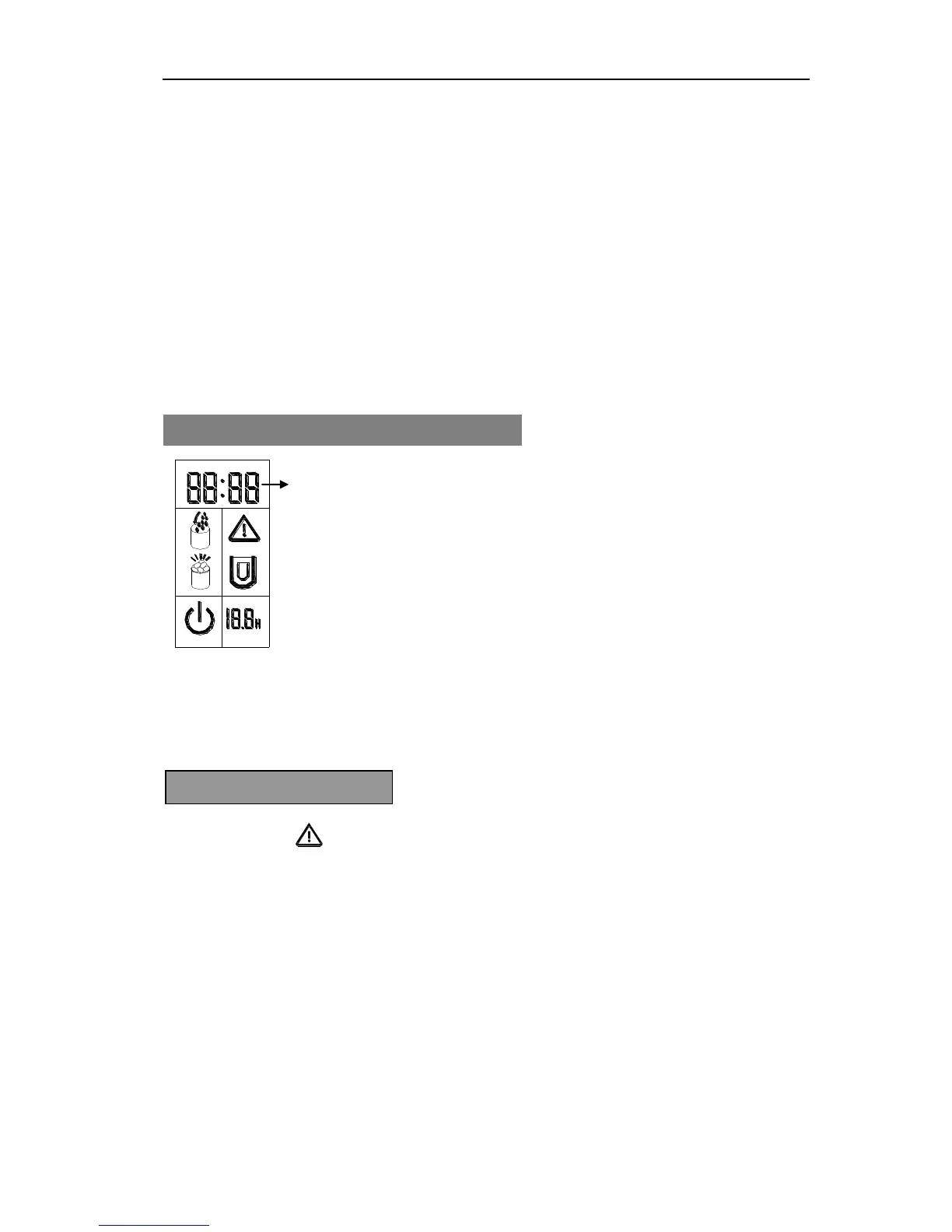
How to set the timer:
Press the TIMER button and the default “3.0H” delay time will flash in LCD display window,
then press the SELECT button to select your desired delay time. Each time you press the
SELECT button, the flashing delay time will increase by 0.5 hour. If you hold the SELECT
button for more than 3 seconds the delay time will change very quickly. After 5 seconds of
flashing, the delay time digit will stop flashing meaning the timer program has been set.
How to cancel the timer:
When the unit has been set with the timer or during the timer setting process, press the TIMER
button, then the delay time digit will disappear meaning the timer selection has been cancelled.
When the symbol flashes it means your unit needs to be cleaned. If you have recently
cleaned your unit, hold the TIMER button for more than 5 seconds and this symbol will
disappear from the LCD display window. The cleaning timer will be reset for another cycle.
CLOCK DISPLAY & SETTING THE TIME
This unit has a CLOCK display on the LCD.
You can adjust the displayed time by using the CLOCK and
SELECT button.
Press the CLOCK button once and the digit for hour will start to
flash then you can press the SELECT button to change it. Each
press will increase the time 1 hour. Press the CLOCK button
again and the digit for minute will start to flash also press the
SELECT to change it. Press the CLOCK button a third time to
display your selected time. During adjustment process, after 5
seconds of flashing, the digit will automatically stop and display
the time which also means the time has been set.


 To Next Page