w w w . s m a r t p o o l . c o m
42
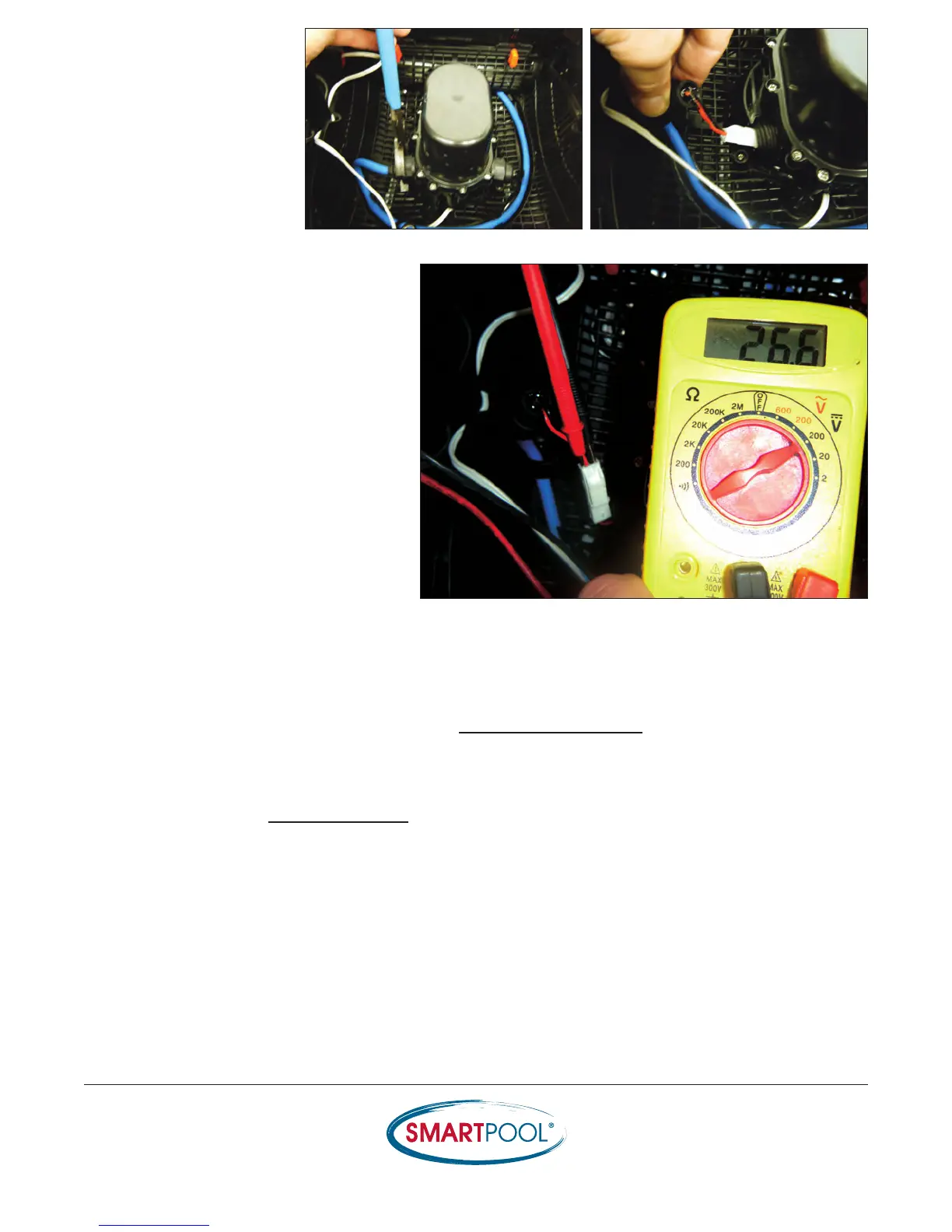
6) Loosen the pressure
fitting to the Cable and
pull on the plug to expose
the connection.
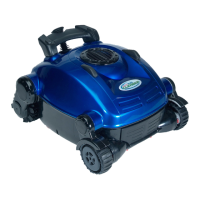
7) Place the prongs of the voltmeter into
the back of the connection (do not
disconnect the Cable harness) and turn
the Power Supply on to read the voltage
through the Cable (25-30Vdc).
Important: Make sure all objects are
clear from the impeller to eliminate
injury or damage to the component.
• If the voltage through the Cable is OK:
Dead in Water: Turn to section entitled Replacing the Pump Motor
Does Not Move: Proceed with Evaluation
• If the voltage through the cable is found to be insufficient (<25Vdc); then proceed to the
section entitled Replacing the Cable
RESULTS


 To Next Page