w w w . s m a r t p o o l . c o m
45
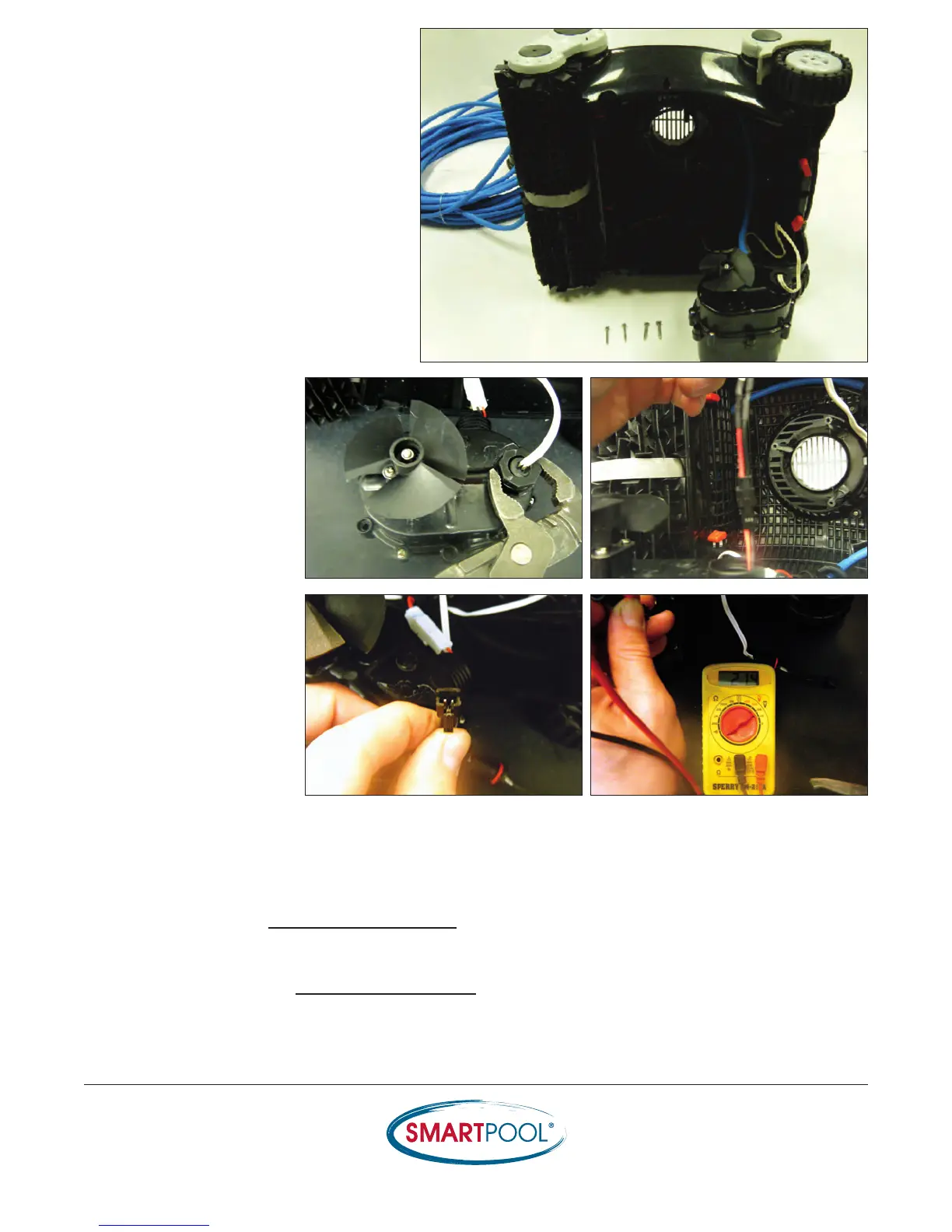
11) Turn cleaner on its side and place the
Pump Motor on bench (impeller up)
12) Loosen the pressure
fitting to the Drive
Motor and pull on wire
to expose the
connection.
13) Disconnect the harness
and read the voltage off
the plug (wire coming
from the Pump Motor)
while the cleaner is
turned ON.
• If there is 0Vdc going to the Drive Motor (read the voltage for 15 seconds) then turn to
section entitled Replacing the Pump Motor
• If the voltage to the Drive Motor is 18-22Vdc and the Drive Motor does not move then turn to
the section entitled Replacing the Drive Motor
RESULTS


 To Next Page