EasyManua.ls Logo

SmartPool PT11i - User Manual

Default Icon
20 pages
Print Icon
To Next Page IconTo Next Page
Loading...
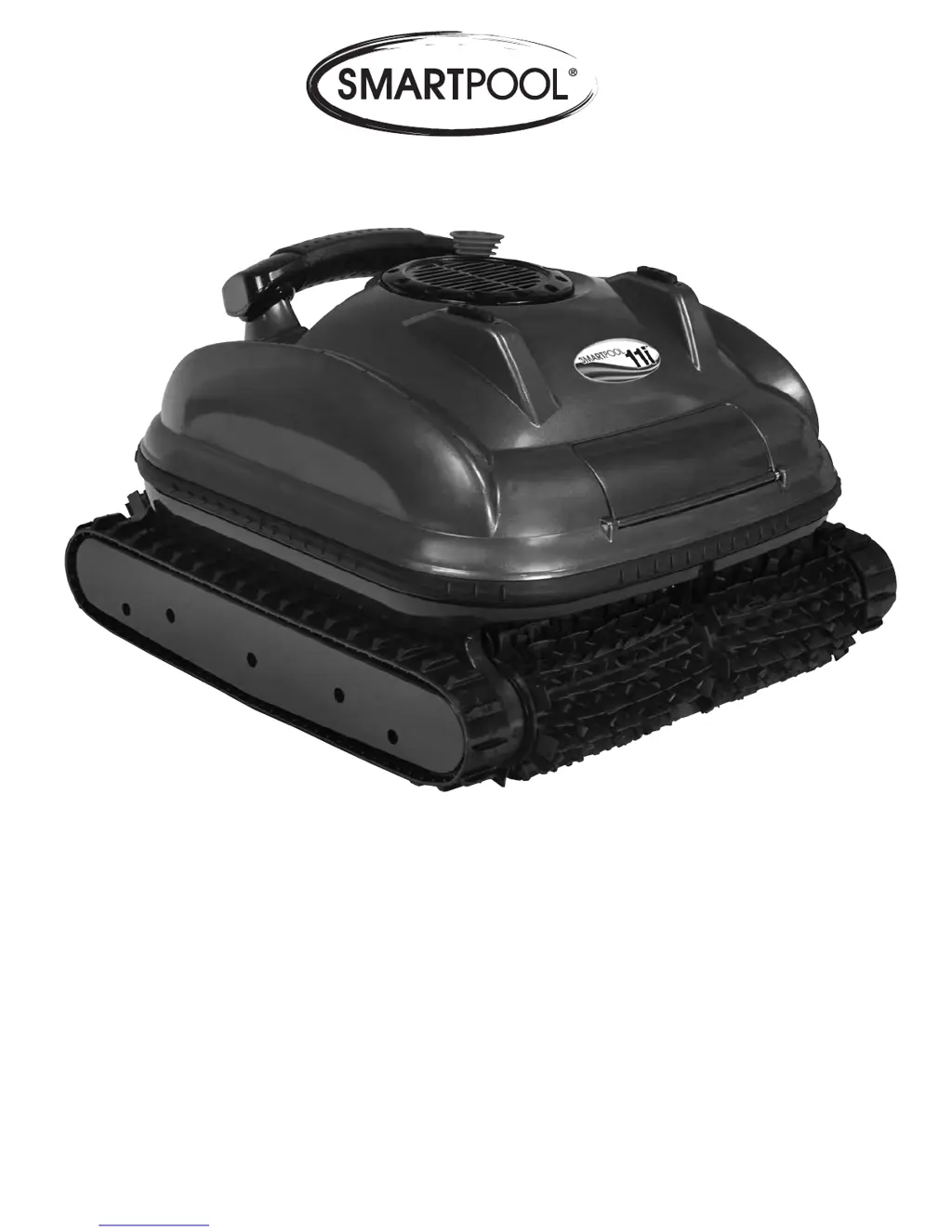
SMARTPOOL PT11i (PT11iRCS) ROBOTIC POOL CLEANER OPERATION MANUAL

Questions and Answers

  • N
    nguyenandrewAug 13, 2025
    Why are the pump and drive motors not operating on my SmartPool PT11i?
    • L
      Lindsey AndersonAug 13, 2025
      There are several reasons why the pump and drive motors might not be working. First, check the AC outlet or reset the GFI, or try another outlet. If that doesn't work, turn the power supply off, unplug it from the AC outlet, wait 30 seconds, and then turn it back on. Also, try plugging the power supply directly into an outlet instead of using an extension cord. Finally, make sure all connections to and from the swivel are secure.
  • J
    Joshua WilliamsAug 16, 2025
    What to do if my SmartPool PT11i Vacuum Cleaner has no suction?
    • A
      Angela WilsonAug 17, 2025
      If your SmartPool Vacuum Cleaner has no suction, first, run the cleaner without the filter bag and check the bottom lid/filter bag for proper installation. Also, the filter bag may be full, so clean it thoroughly with a garden hose. Finally, check for debris in the fan/impeller and clean it with a garden hose; you may have to remove the impeller cap (1 screw).
  • J
    Joyce DeleonAug 20, 2025
    What to do if my SmartPool PT11i is not moving?
    • R
      rthorntonAug 20, 2025
      If your SmartPool Vacuum Cleaner isn't moving, check the brushes and replace them if necessary. Also, check for debris caught in the tracks, brushes, or impeller and clean with a garden hose; you may have to remove the impeller cap (1 screw). Ensure the cleaner is not caught on any obstructions in the pool by turning it off and gently pulling on the cord to remove it. Run the cleaner without the filter bag and check the bottom lid/filter bag for proper installation. Finally, check to see if the tracks are loose or have fallen off completely.
  • R
    Richard WolfAug 28, 2025
    How to fix cord tangling on my SmartPool PT11i Vacuum Cleaner?
    • E
      Emily SmithAug 28, 2025
      To prevent cord tangling on your SmartPool Vacuum Cleaner, make sure the cable is being unplugged from the power supply after every 1-2 cycles to release the tension that builds during a cycle. Only use the necessary amount of cable to cover the pool efficiently. Ensure the cable is straightened out before the cycle is started, you may need to walk the cleaner the length of the pool to straighten the cord. When wrapping the cable, make large loops and start at the cleaner end so the free, plug end can unwind any residual tension.
  • S
    Suzanne WheelerSep 1, 2025
    Why is my SmartPool PT11i going back and forth, doing wheelies, or spinning in circles?
    • D
      David StewartSep 1, 2025
      If your SmartPool Vacuum Cleaner is moving erratically, run the cleaner without the filter bag and check the bottom lid/filter bag for proper installation. Also, check for debris caught in the tracks, brushes, or impeller and clean with a garden hose; you may have to remove the impeller cap (1 screw). Make sure the cleaner is not caught on an obstruction in the pool by turning it off and gently pulling on the cord to remove it. Finally, check to see if the tracks are loose or have fallen off completely.
  • J
    Joseph TurnerSep 4, 2025
    Why is my SmartPool PT11i Vacuum Cleaner not climbing?
    • M
      Matthew NicholsSep 4, 2025
      If your SmartPool Vacuum Cleaner is not climbing, run the cleaner without the filter bag and check the bottom lid/filter bag for proper installation. Also, check for debris caught in the tracks, brushes, or impeller and clean with a garden hose; you may have to remove the impeller cap (1 screw). Clean the filter bag thoroughly with a garden hose if it is full. Check the brushes and ring (if applicable) for wear and replace if necessary. Finally, have the water chemistry checked by a pool professional and/or brush the pool walls, as algae growth can affect climbing ability.
  • M
    Matthew BrewerSep 8, 2025
    What to do if my SmartPool PT11i unit is floating?
    • S
      stephensonbenjaminSep 8, 2025
      If your SmartPool Vacuum Cleaner unit is floating, rock the cleaner back and forth under water to release any trapped air. If the cleaner is climbing too high regularly, a weight can be added to the cleaner to prevent it from climbing too high and to assist in the descent back to the floor. If there is D.E. in the pool, it could clog the bag, so clean the bag thoroughly.
  • A
    Anne MccoyNov 23, 2025
    Why does my SmartPool PT11i start and stop?
    • K
      Kathy VaughanNov 23, 2025
      If your SmartPool Vacuum Cleaner starts and stops, the filter bag installation may be the issue. Run the cleaner without the filter bag and check the bottom lid/filter bag for proper installation. Another cause could be a full filter bag, so clean it thoroughly with a garden hose. Debris caught in the tracks, brushes, or impeller can also cause this, so check for debris and clean with a garden hose; you may have to remove the impeller cap (1 screw). Worn brushes can also inhibit performance, so check the brushes and ring (if applicable) for wear or holes. Ensure the cleaner is not caught on anything in the pool by turning it off and gently pulling on the cord to remove it from the obstruction. Finally, ensure all connections to/from the swivel are secure, as a loose swivel connection can c...

SmartPool PT11i Specifications

General IconGeneral
BrandSmartPool
ModelPT11i
CategoryVacuum Cleaner
LanguageEnglish

Related product manuals