4.
5.
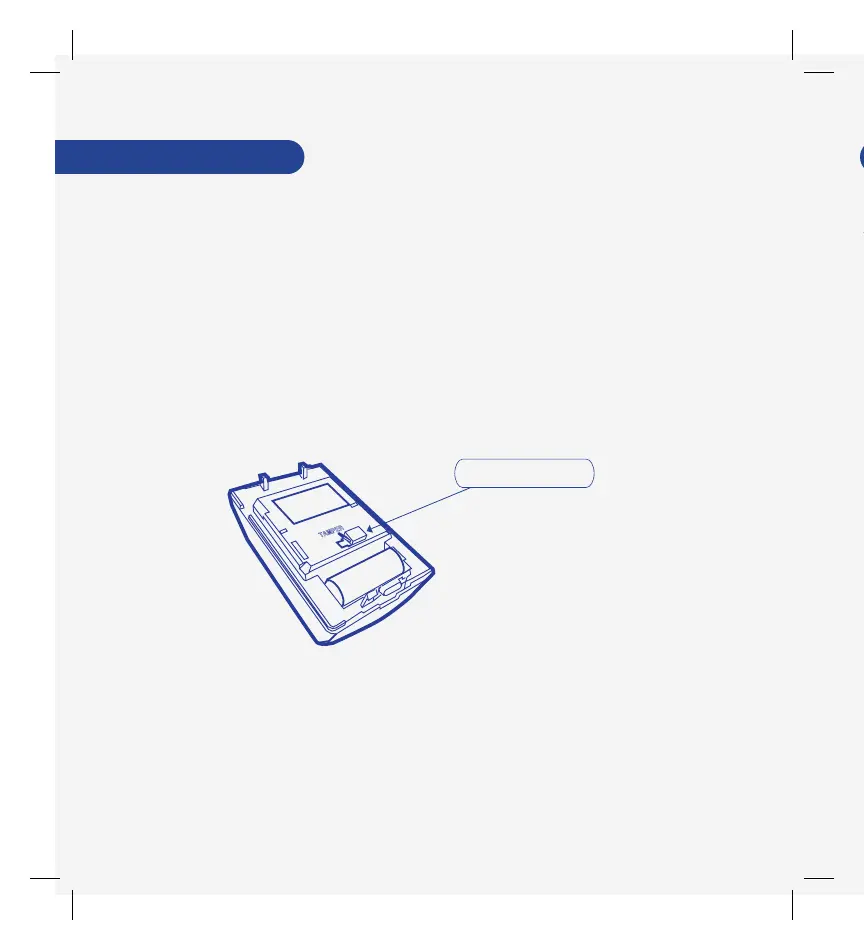
Release the Tamper Switch and after 5 seconds the red LED
will begin to blink slowly.
Use the SmartThings app to complete setup.
If you’re still having trouble connecting the ADT Motion Detector,
please visit SmartThings.com/Support-ADT for assistance.
If the ADT Motion Detector did not pair successfully with the ADT
Security Hub, follow these instructions to reset it:
2.
1.
3.
Press and release the Tamper Switch on the detector twice.
Remove the back of the detector
Press and hold the Tamper Switch. The red LED will begin to
blink quickly, and after a short period of time will stay on.
F
Tamper Switch
F
With optional ADT professional monitoring services, you can enjoy
24/7 peace of mind whether your family is home or away. Choose
from a range of intrusion detection and life safety services.
Use the SmartThings app to activate ADT professional monitoring
services, or visit SmartThings.com/ADT for more information.
Troubleshooting



 To Next Page