Use
105
EN
3.8 Automatic programs
The automatic cooking programs are
divided up according to the type of dish to
be cooked.
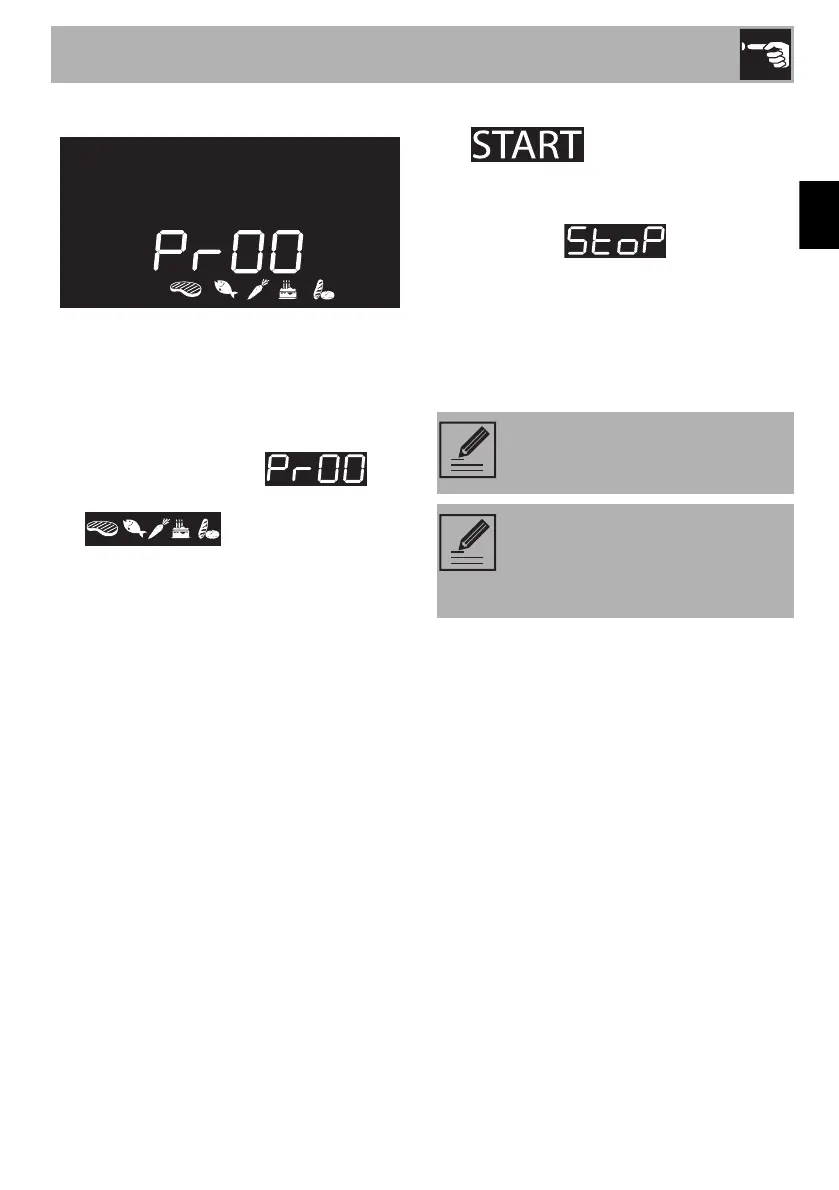
1. Press and turn the function knob to
select cooking with automatic
programs, marked by and
the illuminated food symbols
.
2. Press the function knob to confirm
cooking with automatic programs.
3. Turn the function knob to select the
preferred program (see Automatic
programs table).
4. Turn the temperature knob to select the
weight (in grams) of the food to cook.
5. When preheating has finished,
will flash. Introduce the
food and then press the function knob
to start cooking.
6. At the end, is displayed
and a buzzer sounds.
7. To deactivate the buzzer, press or turn
one of the two knobs or open the door.
8. Press and hold the function knob for at
least 3 seconds to exit the function.
It is possible to set programmed
cooking in automatic programs.
A function can be interrupted at
any time by pressing and holding
the function knob for at least 3
seconds.



 To Next Page