User instructions
18
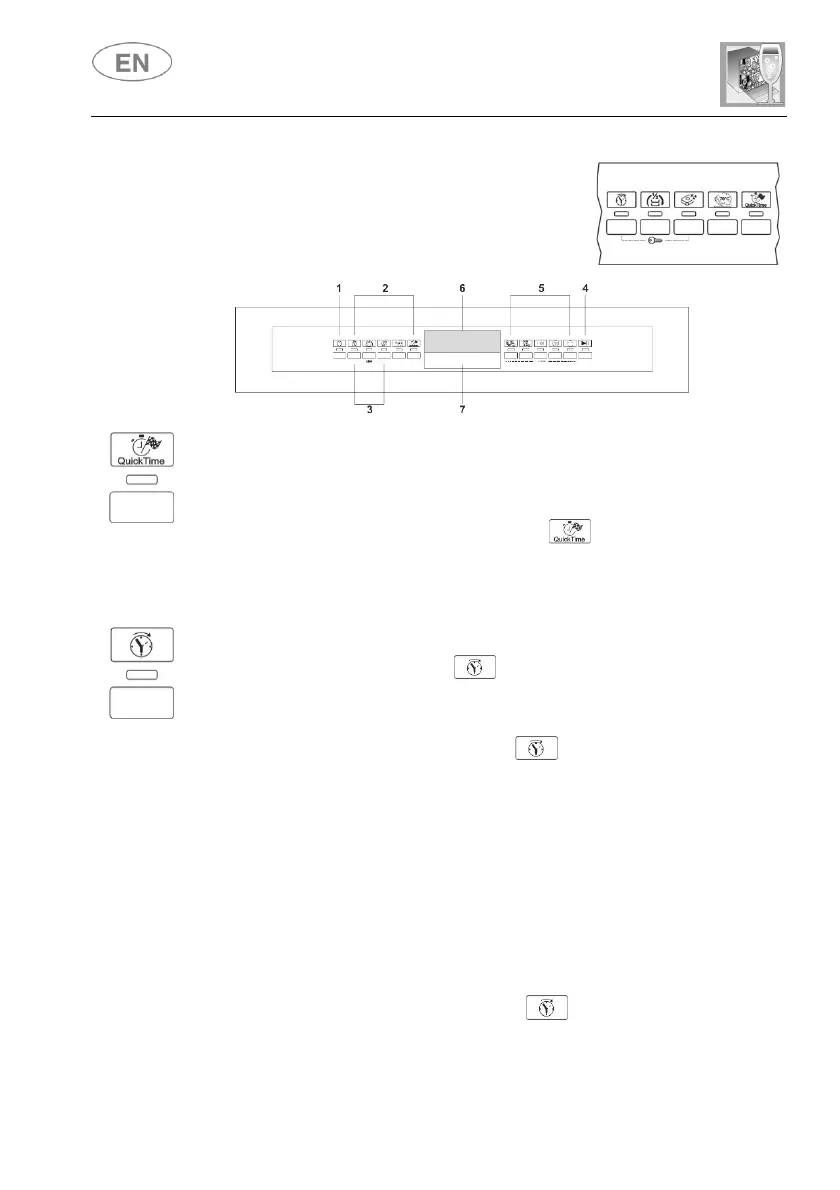
The selection of options is controlled by the
relative buttons and indicated by the warning
light below the symbol. Please read the
paragraphs relating to each option for their
usage details.
Select this option together with any washing program (except the soak
program) to SHORTEN the cycle by from a minimum of 10% to a
maximum of 55%, depending on the cycle selected. To activate this
option, press the QUICK OPTION button (light comes on) after
selecting the program required. The option is automatically deactivated at
the end of the program.
The PROGRAM DELAY button can be pressed to delay the start of
the washing program by 1 up to 24 hours. This means that the dishwasher
can be operated at the time of day of your choice.
Press the PROGRAM DELAY button again; the INFORMATION
DISPLAY (6) will show the number of hours of delay with which the appliance
will start.
After setting the delay, start the program: press the START/PAUSE button
(4) for a few seconds, until the PROGRAM STARTED light starts flashing.
The appliance will prewash the dishes, after which the “program delay” set
previously will come into effect.
To cancel the program delay once the wash has started, proceed as
follows:
Press the START/PAUSE button (4) for a few seconds, until the
PROGRAM STARTED light stops flashing;
Press the PROGRAM DELAY button several times until the
program delay returns to zero;
Press the START/PAUSE button (4) to start the program.


 To Next Page