Cleaning and maintenance
49
EN
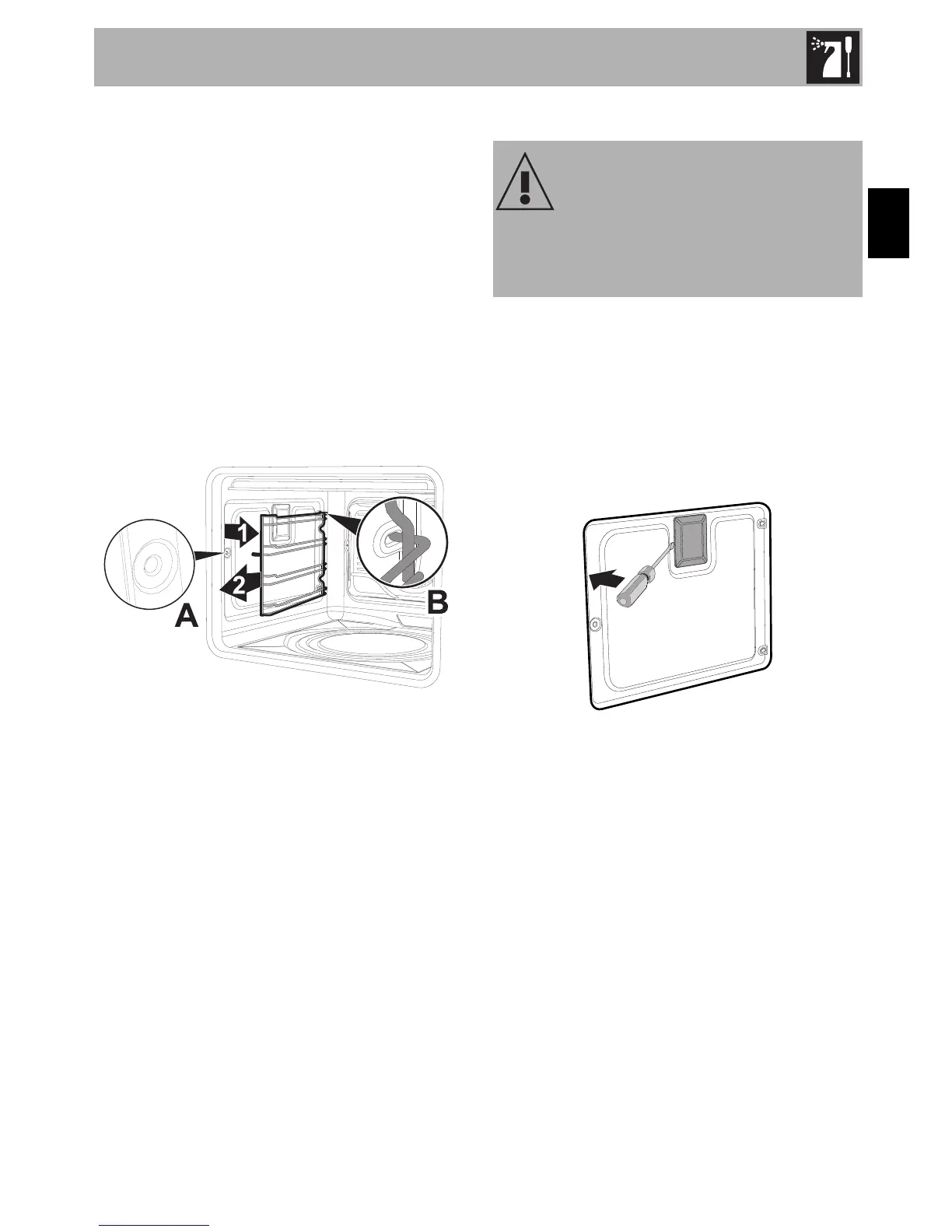
Removing racks/trays support frames
Removing the guide frames enables the
sides to be cleaned more easily. This
operation should be performed each time
the automatic cleaning cycle is used (on
some models only).
To remove the guide frames: Pull the frame
towards the inside of the oven to unhook it
from its groove A, then slide it out of the
seats B at the back.
When cleaning is complete, repeat the
above procedures to put the guide frames
back in.
4.9 Extraordinary maintenance
Replacing the internal light bulb
1. Completely remove all accessories from
inside the oven.
2. Remove the racks/trays support frames.
3. Remove the bulb cover using a tool (e.g.
a screwdriver).
Live parts
Danger of electrocution
• Disconnect the oven power supply.


 To Next Page