User instructions
9
3. Description of the controls
3.1 Upper panel
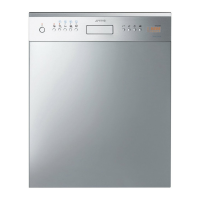
All the dishwasher controls are grouped on the upper panel. Switch-on,
programming, switch-off etc. procedures are only possible when the door
is open.
1
ON/OFF BUTTON
Pressing this button energises the appliance.
2
SELECTED PROGRAM INDICATOR LIGHTS
Illumination of this light denotes the program selected and the
occurrence of a fault (troubleshooting).
3
PROGRAM SELECTION BUTTON
Press this button to select the required washing program.
4
WATER HARDNESS ADJUSTMENT INDICATOR LIGHT
(on some models only)
A flashing light indicates that the machine is in the “water hardness
adjustment” mode.
SALT INDICATOR LIGHT (only if there is a symbol below the light)
When lit, it indicates that salt container is empty.
5
RINSE AID DISPENSER MODE INDICATOR LIGHT
(on some models only)
A flashing light indicates that the machine is in “dispense rinse aid”
mode.
RINSE AID INDICATOR LIGHT
(only if there is a symbol below the light)
When lit, it indicates that the rinse aid dispenser is empty.
6
QUICK TIME + EXTRA OPTION BUTTON
(see “EXTRA OPTIONS” section)
The button controls selection of the quick time programs.
(see table).


 To Next Page